
시작하기: CppDepend
Download and Install CppDepend
1단계: If you have not downloaded the CppDepend installer yet, please visit: https://www.cppdepend.com/download
2단계: Install the CppDepend Professional files on your computer. To install CppDepend, simply unzip the downloaded files into a private application folder of your choice.
%ProgramFiles%\CppDepend. Doing so may cause issues due to Windows folder protection.Launch CppDepend
실행 VisualCppDepend.exe on Windows.
On Linux or macOS, run from a terminal:
user@machine:~/cppdepend$ ./VisualCppDepend.shCreate New CppDepend Project
Click Create New Project. The language combobox permits to choose between C++, C or Java projects. Add your projects to parse.
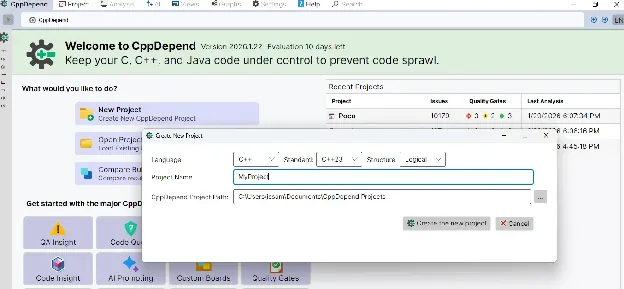
새 C/C++ 프로젝트 추가
The following kinds of projects are managed by CppDepend:
- •.vcproj, .vcxproj, .sln: Visual Studio projects.
- •JSON compilation database: A compilation database is a database for compile options. It records which compile options are used to build the files in a project. The compilation database could be generated from CMake or Ninja, and there are many other ways to generate a compilation database.
- •.build files: The recommended way to analyse your C\C++ projects other than the VS, QtCreator and CMake ones, is to use the BuildMonitor tool to intercept all compilation and link commands.
- •소스 파일 세트: You can use the ProjectMaker tool to describe the specification of your project. With ProjectMaker you can specify your source files, the include paths and the defines.
- •Java 소스 폴더.
분석 실행
프로젝트를 추가한 후 Run Analysis 버튼을 클릭하여 분석을 시작하세요.
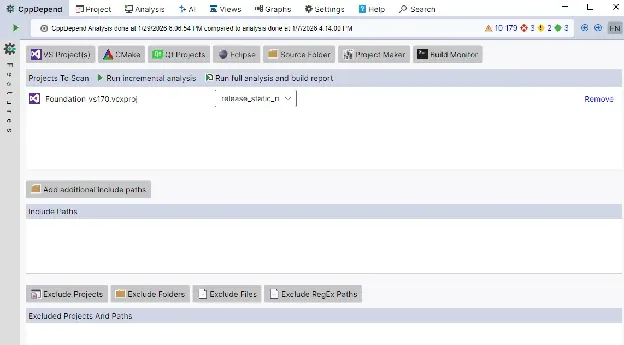
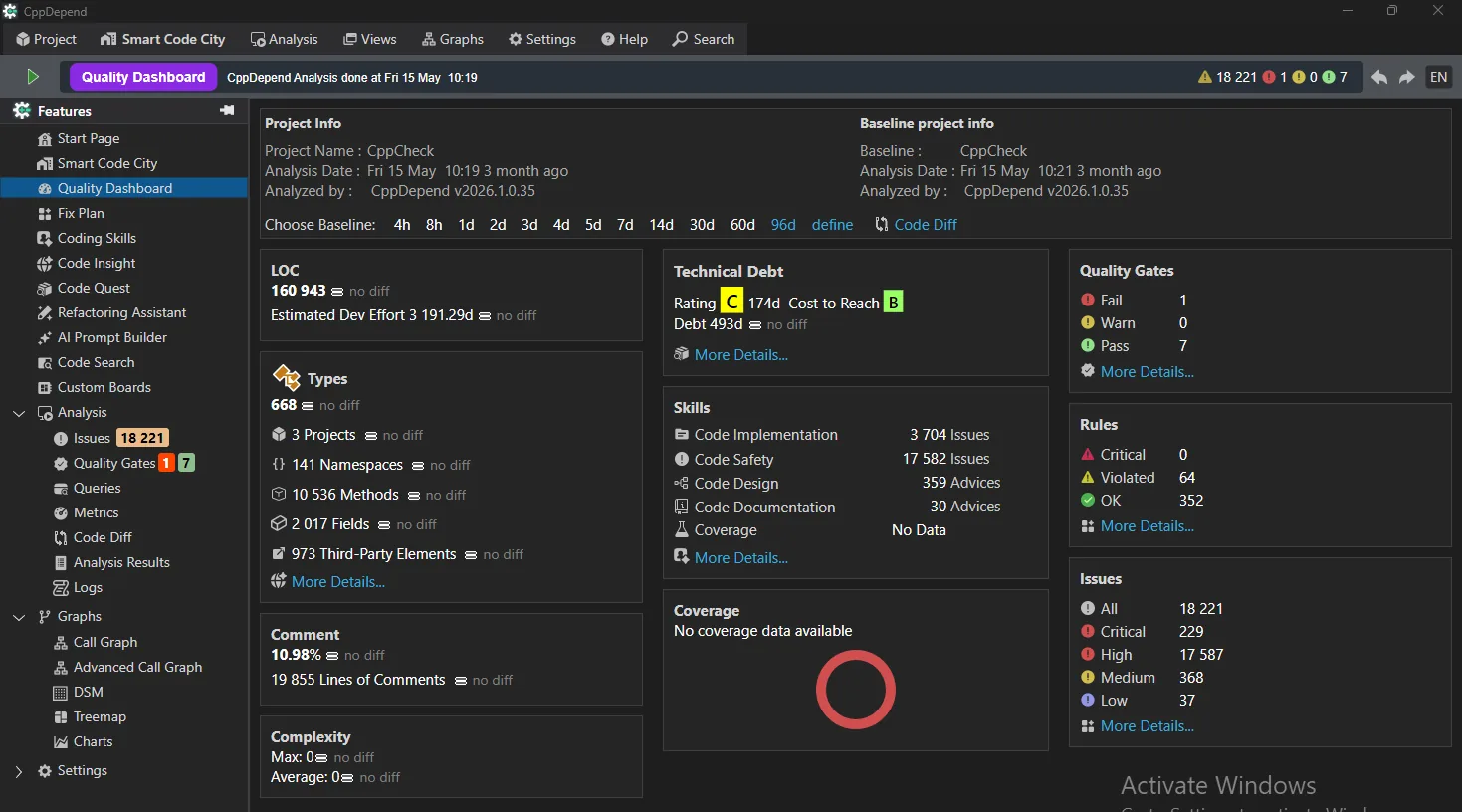
Once the analysis is done, the result is displayed in the VisualCppDepend.exe UI.
결과 탐색
After analysis, explore your results through the VisualCppDepend dashboard with interactive visualizations and detailed reports.
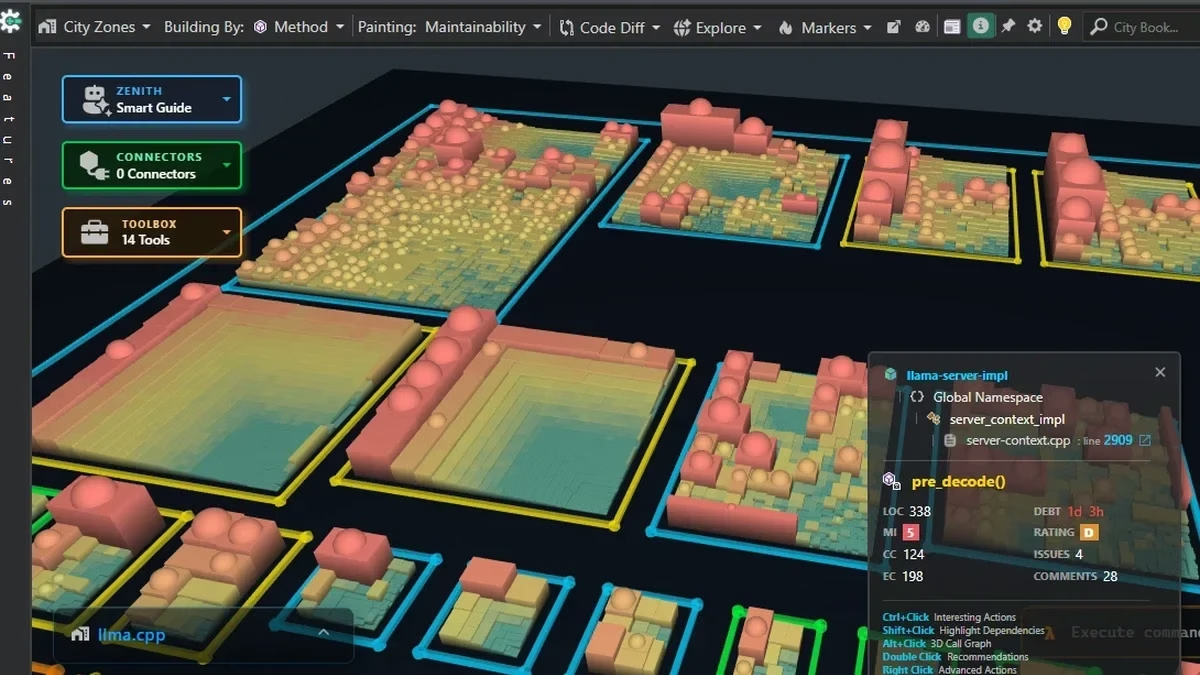
코드베이스를 대화형 3D Code City로 시각적으로 탐색할 수도 있습니다. 각 건물은 타입이나 네임스페이스를 나타내며, 코드에서 어떤 일이 일어나고 있는지 한눈에 쉽게 파악할 수 있습니다.
Tips for Using CppDepend
- Always save your project file in a secure folder to avoid accidental deletion.
- Regularly analyze your code to detect issues early.
- Use the reports and dashboards to track code quality trends over time.
- Explore our full documentation for advanced features.
Try CppDepend Today
Start your 14-day free trial with full access to all documentation features. No credit card required.