
Code Insight: Understand Your Code in Depth
Unified View Per Code Element
Understanding a codebase requires more than high-level metrics. Developers often need to explore a specific class, method, or namespace and immediately understand its structure, complexity, dependencies, and risks.
코드 인사이트 provides a unified, interactive view of each code element, giving developers all the relevant information in one place through dedicated tabs.
코드 요소당 하나의 뷰
For every code element—assembly, namespace, type, or method—Code Insight gathers structural data, metrics, and analysis results into a single, coherent view.
This eliminates the need to jump between reports and allows developers to reason about the code in context.
Find Any Code Element Instantly
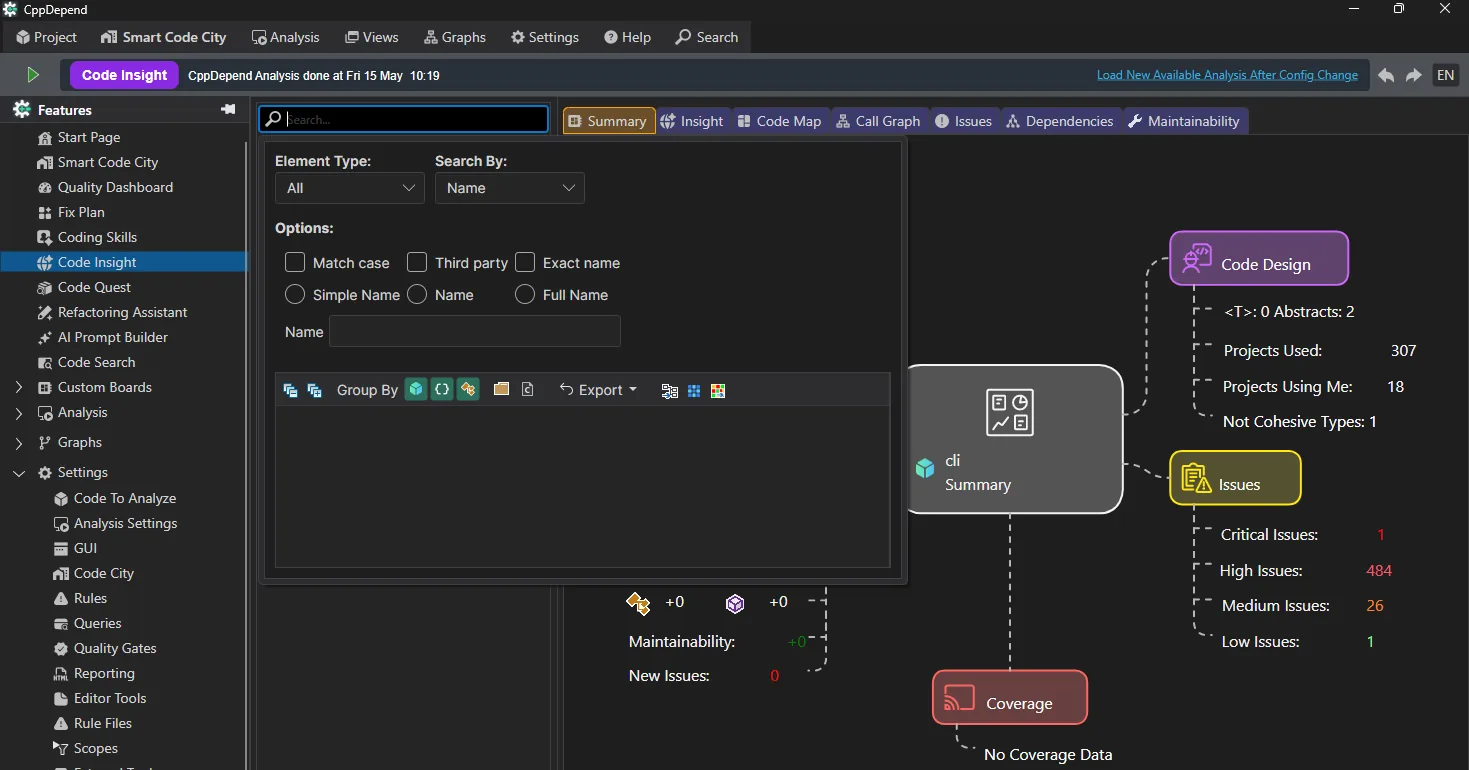
Search any code element by name, with flexible options like match case, exact name or third-party inclusion, then group and export the results.
Summary Tab
요약 tab provides a concise overview of the selected code element.
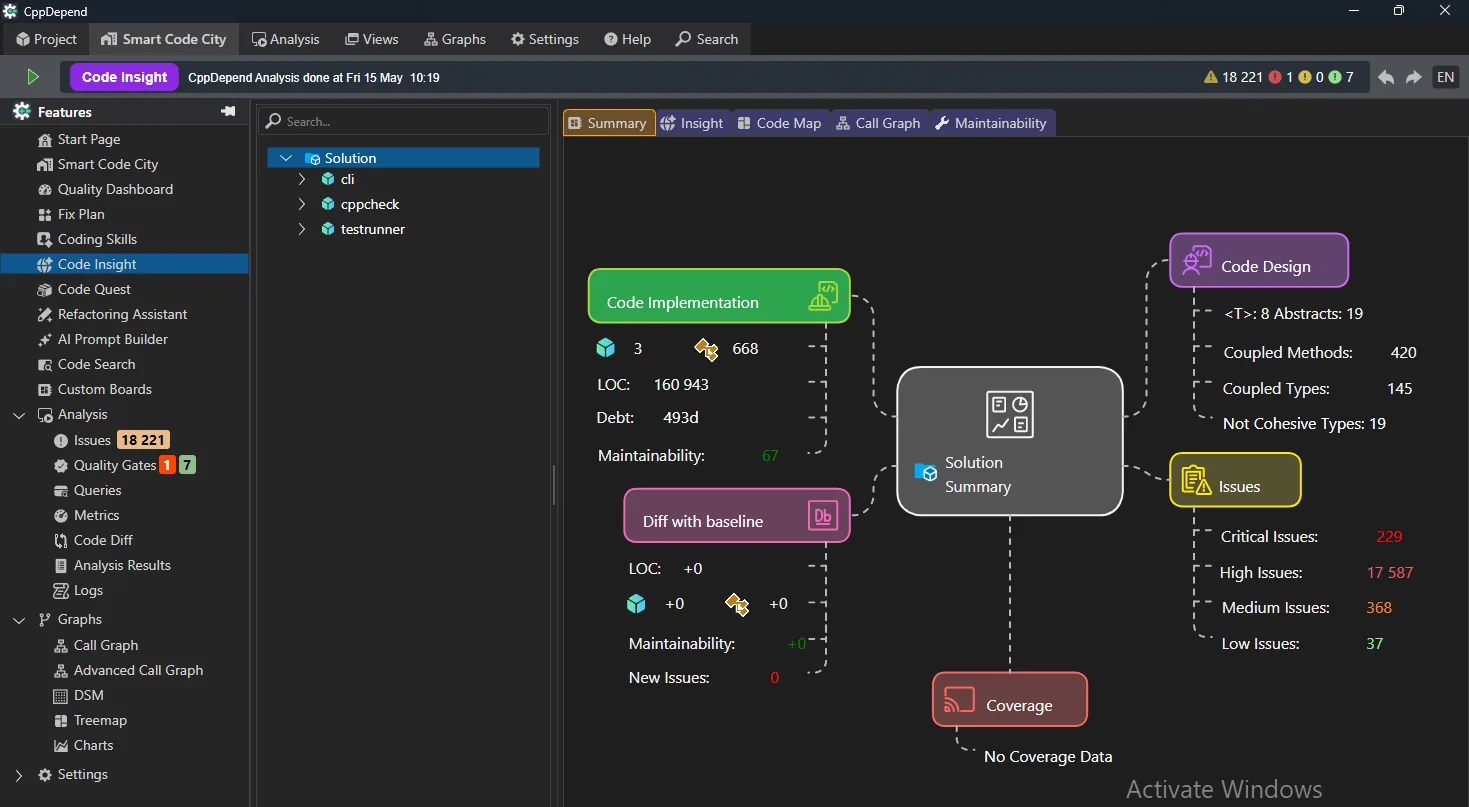
- ✓Size metrics such as lines of code
- ✓기술 부채 추정
- ✓Maintainability rating
- ✓Issue counts by severity
- ✓Coverage availability
It answers a simple question: Is this code healthy?
Insight Tab
인사이트 tab allows developers to go deeper into the internal characteristics of the code element.
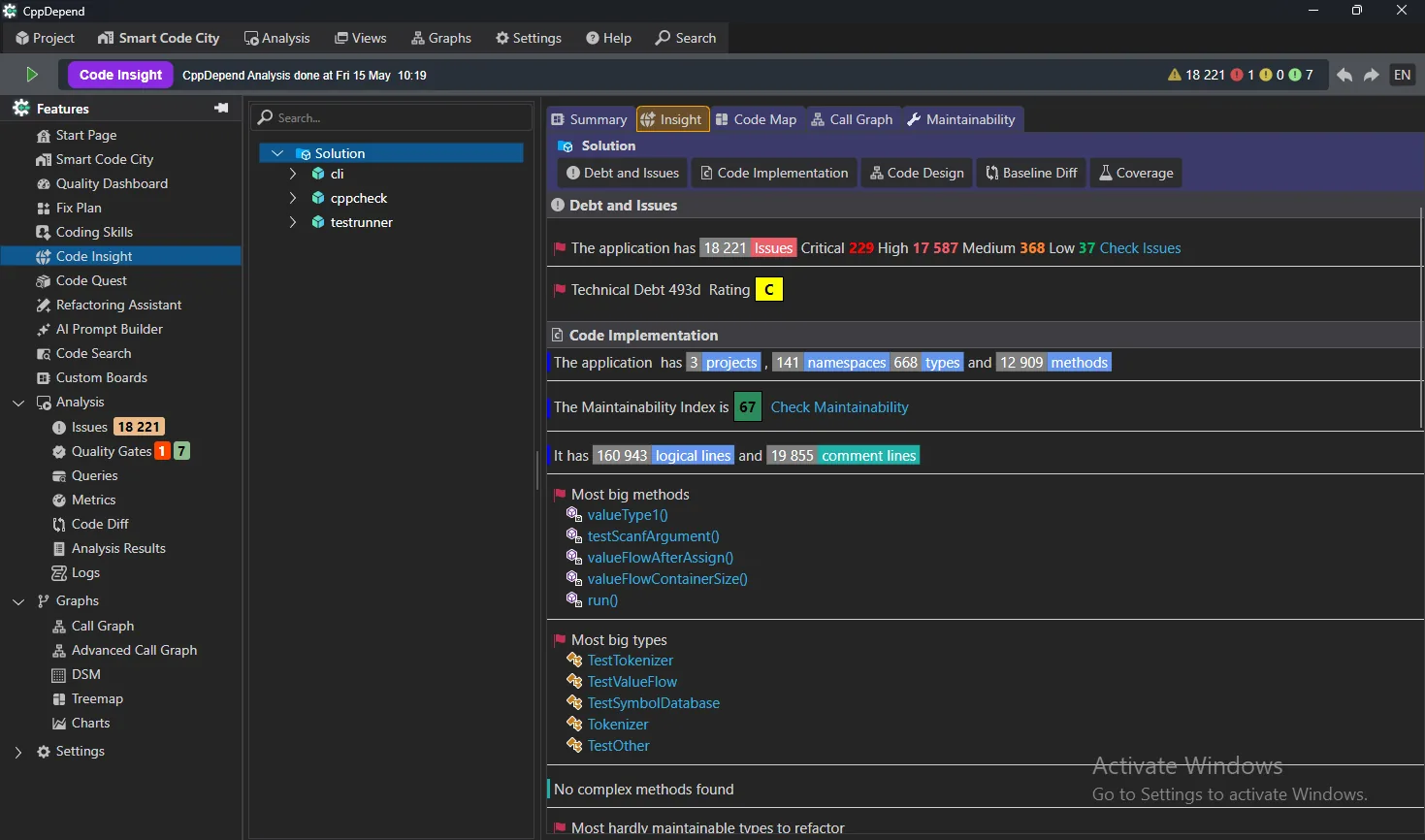
- ✓Detailed metrics and thresholds
- ✓Detected issues and rule violations
- ✓Complexity and maintainability contributors
- ✓Actionable indicators to guide refactoring
This tab connects raw metrics to concrete improvement opportunities.
Code Map Tab
코드 맵 tab offers a visual representation of the internal structure of the code element.
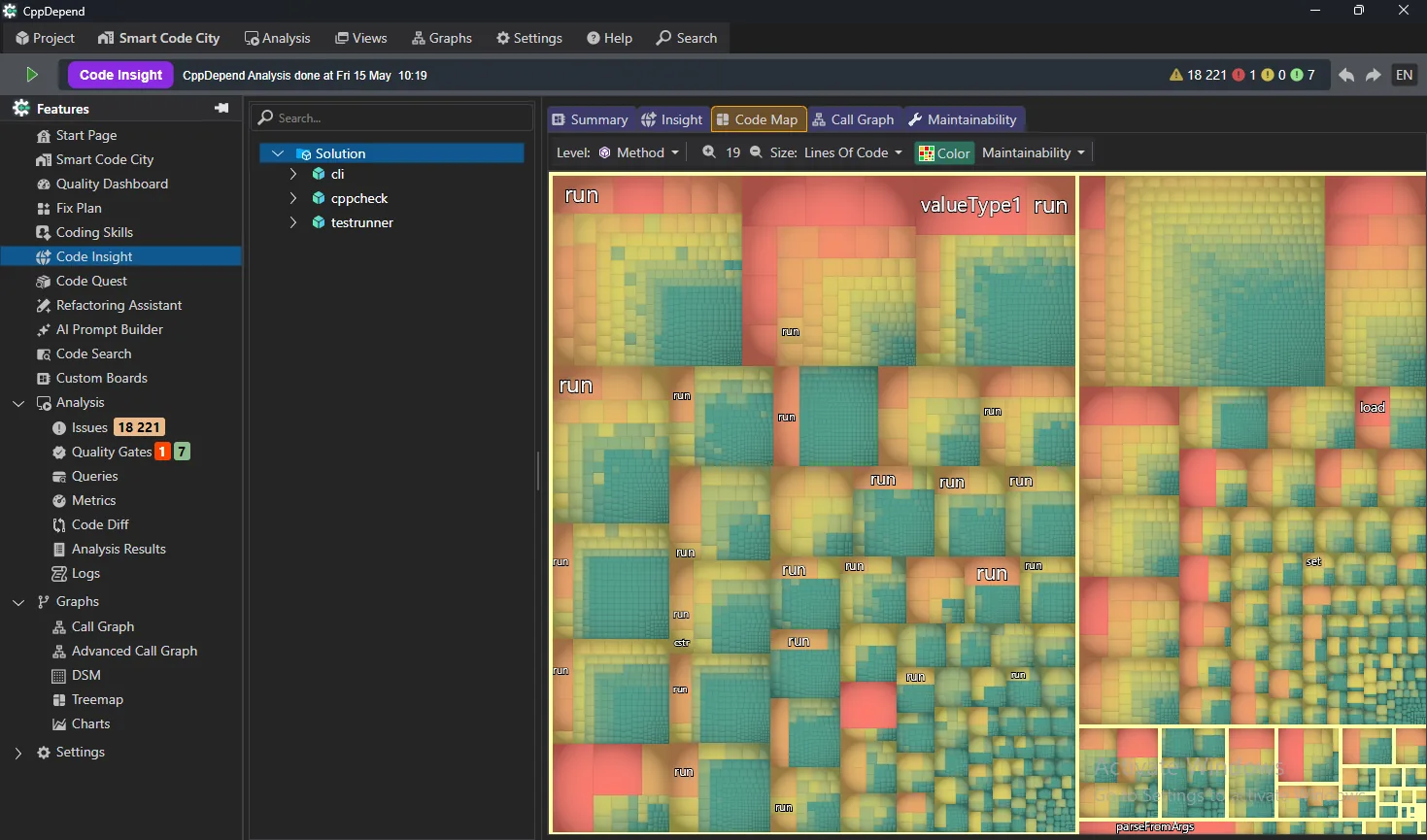
- ✓Visualization of contained members
- ✓Relative size and importance of components
- ✓Quick identification of dominant or oversized parts
This visual approach makes structural imbalances immediately visible.
Call Graph Tab
호출 그래프 tab helps developers understand runtime relationships.
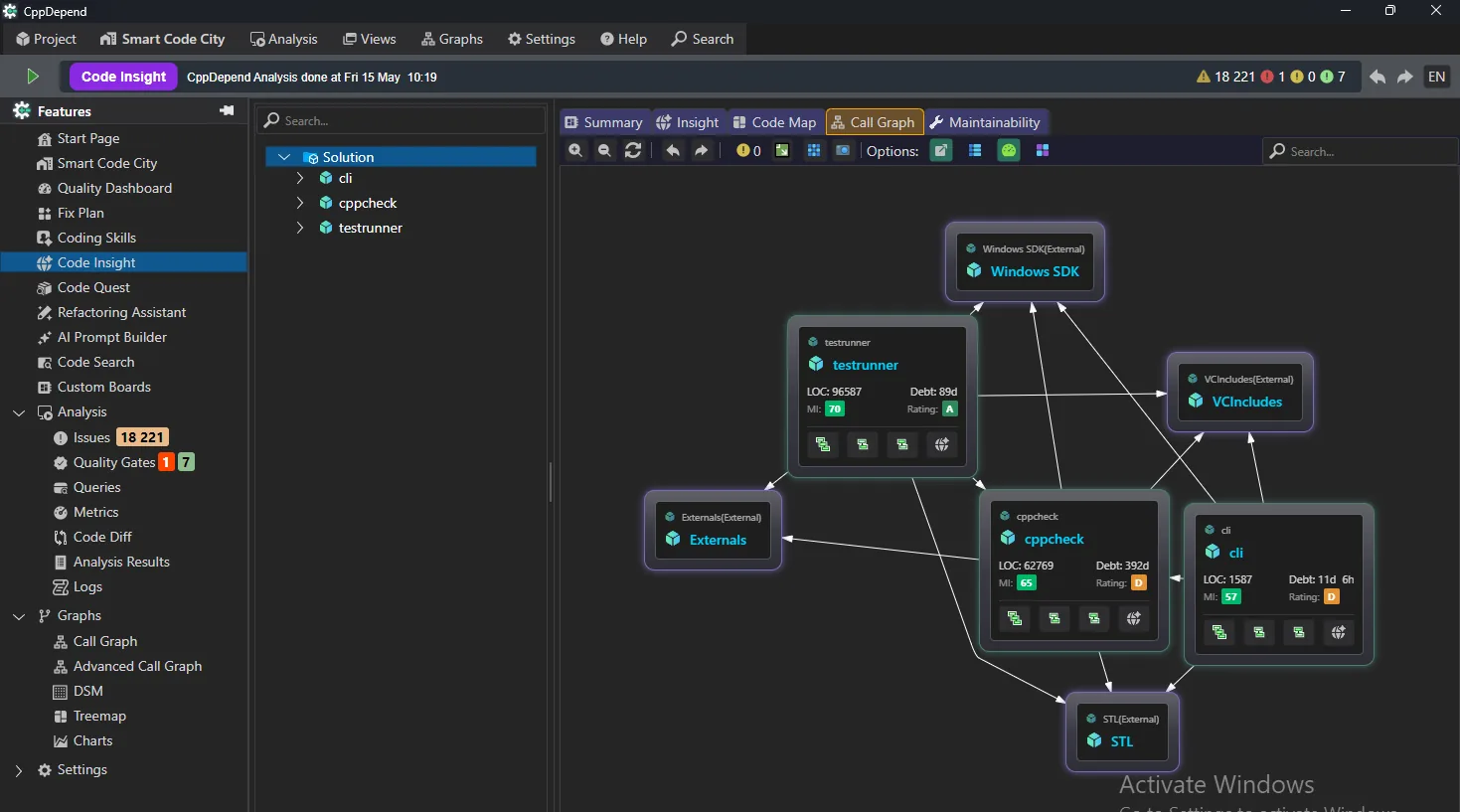
- ✓Incoming and outgoing calls
- ✓Navigation through call chains
- ✓Identification of highly coupled or central methods
This is particularly useful when analyzing impact, debugging, or refactoring.
이슈 탭
Issues tab lists all detected issues related to the selected code element.
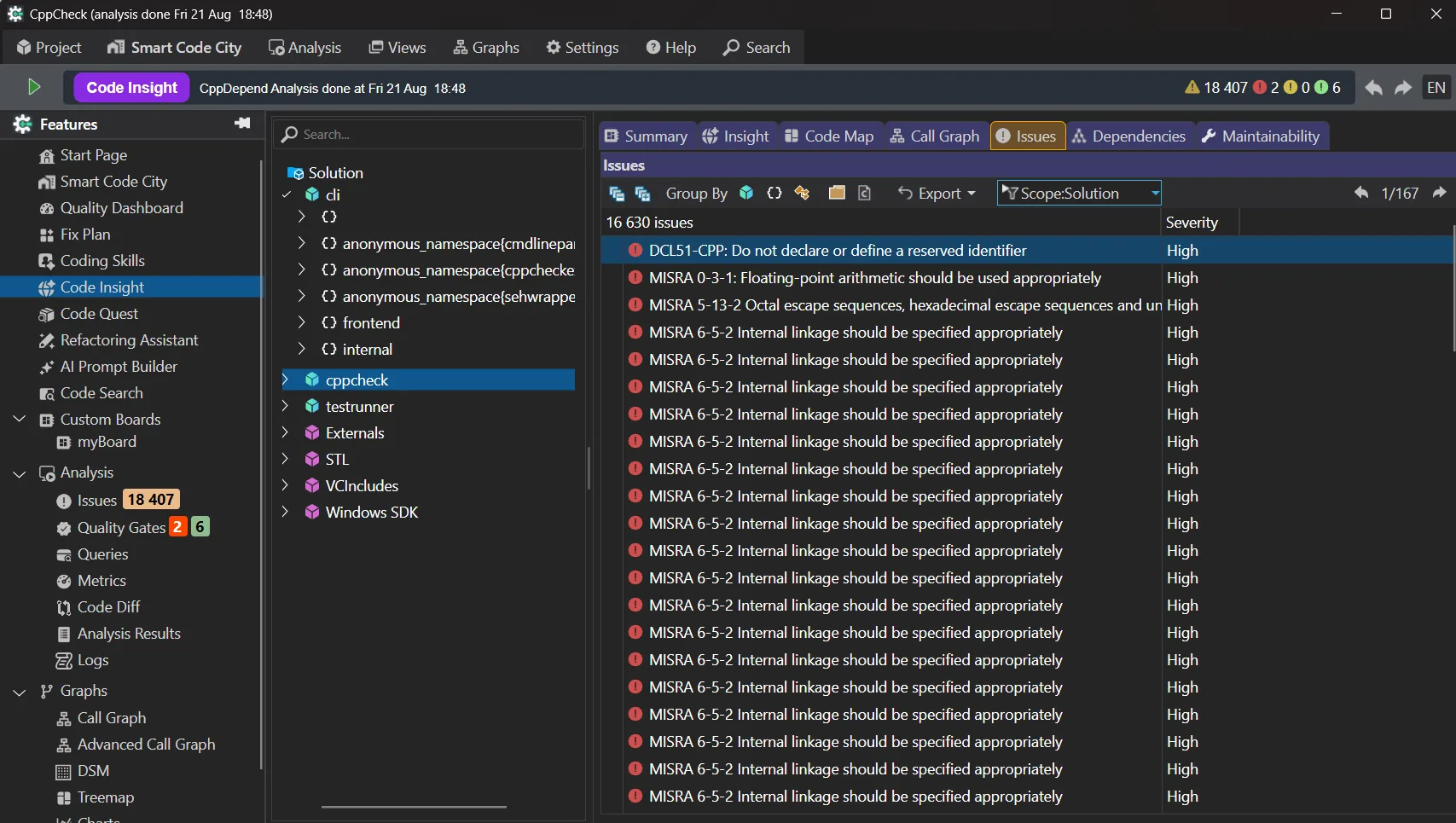
- ✓Classification by severity (critical, high, medium, low)
- ✓Direct access to rule descriptions
- ✓Clear visibility into quality risks
Dependencies Tab
Dependencies tab exposes how the code element interacts with others.
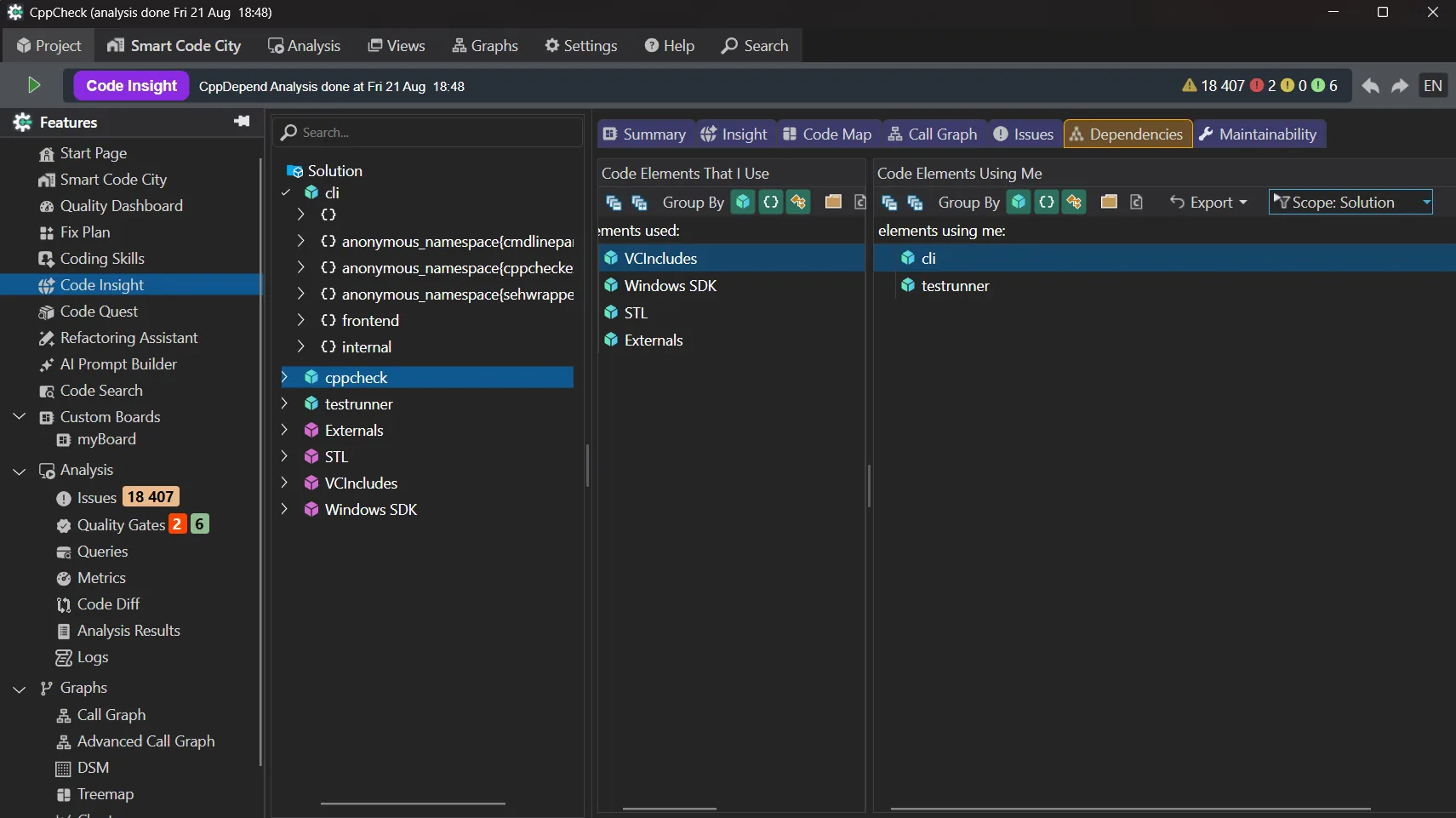
- ✓Afferent and efferent dependencies
- ✓Coupling indicators
- ✓Navigation across dependency chains
This helps developers reason about change impact and architectural stability.
Maintainability Tab
Maintainability tab focuses on long-term code health.
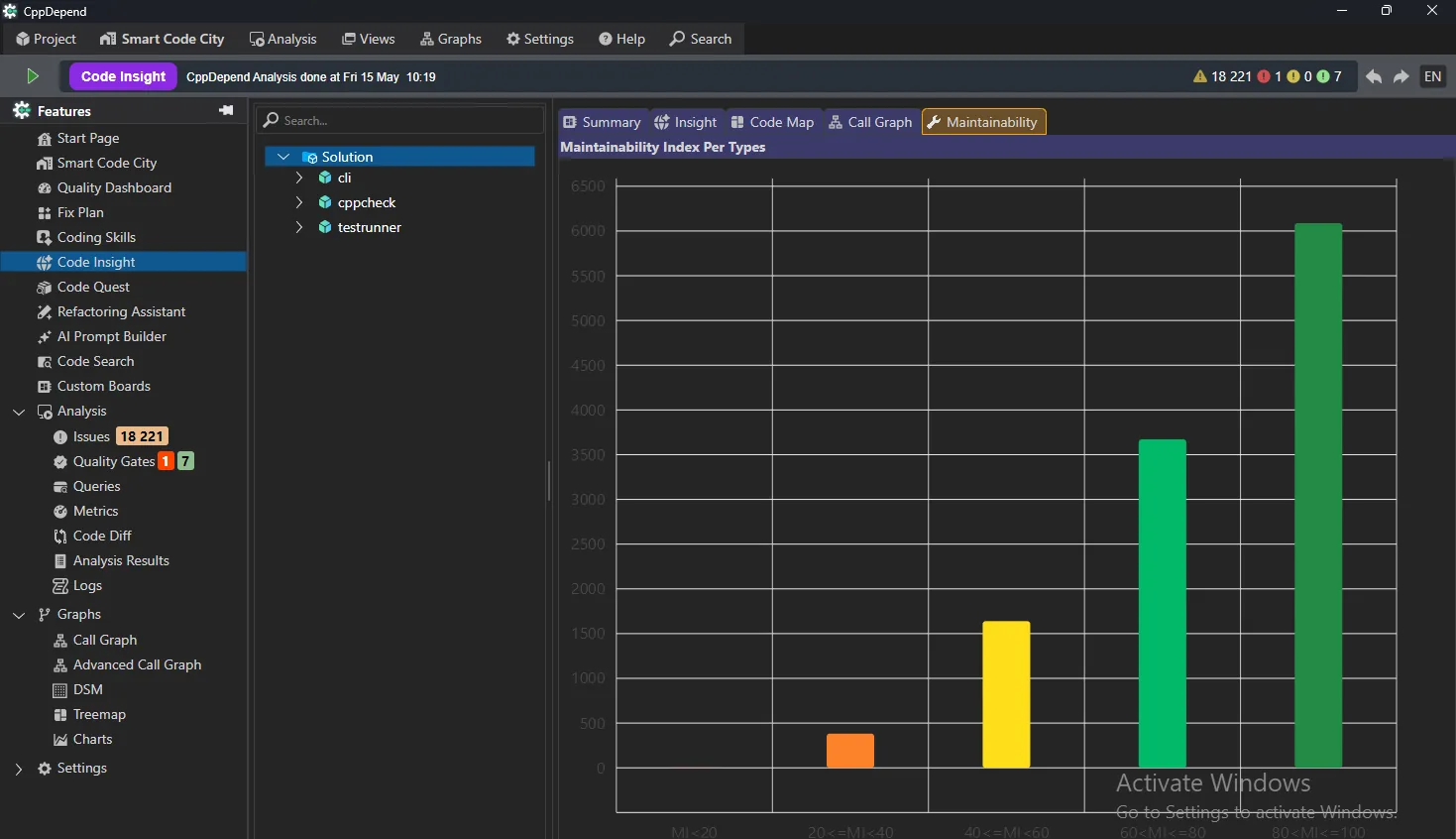
- ✓Maintainability score and trends
- ✓Contribution of size, complexity, and coupling
- ✓기술 부채 추정
Developers can immediately understand what impacts maintainability and where to act first.
From Exploration to Better Decisions
Code Insight turns static analysis data into an interactive exploration experience. By providing multiple complementary views of the same code element, it helps developers make informed decisions faster and with greater confidence.
시도 Code Insight: Understand Your Code in Depth with CppDepend
Start your 14-day free trial with full access to all features. No credit card required.