
Custom Boards
Build Dashboards That Match Your Needs
Custom Boards: Build Dashboards That Match Your Needs
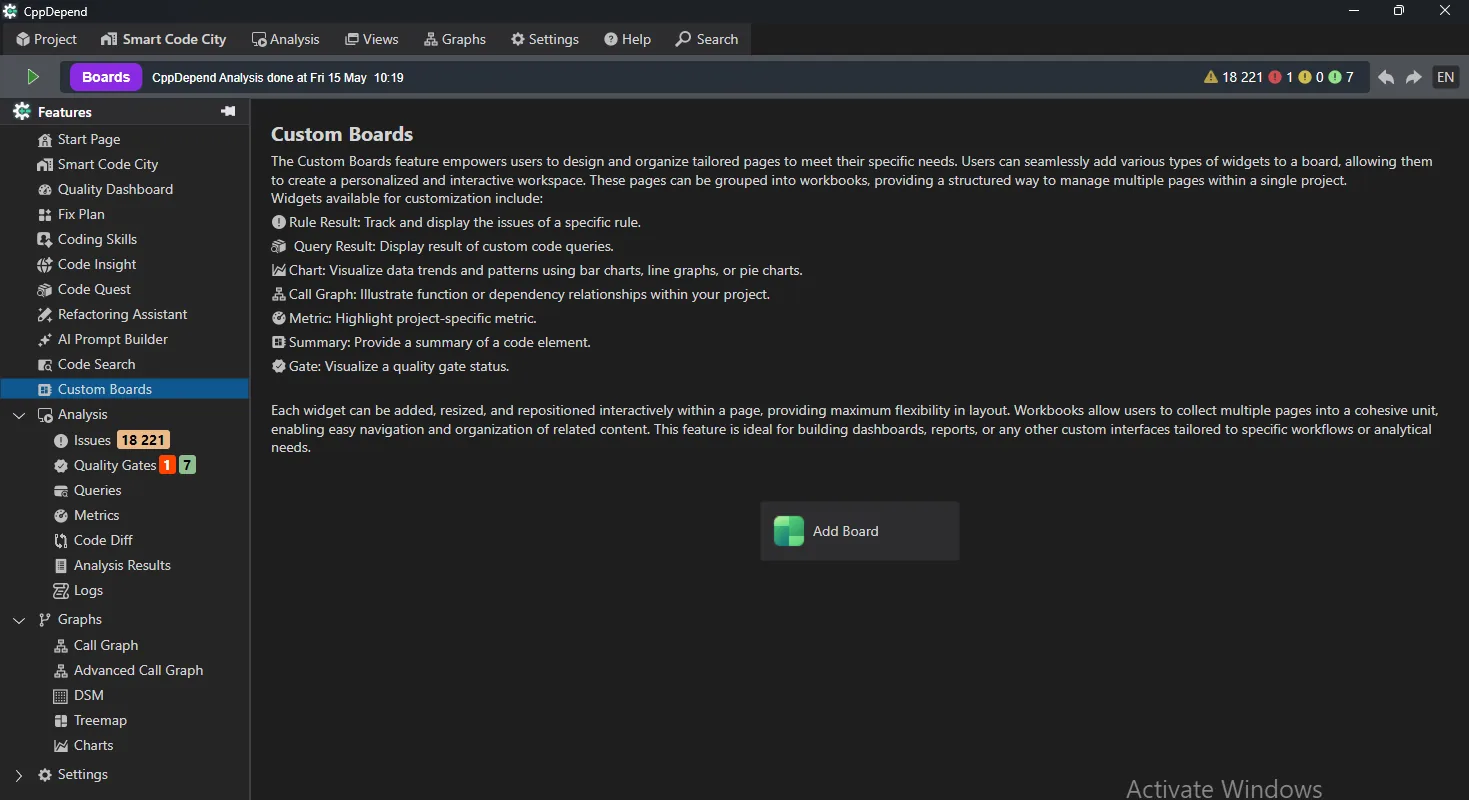
Every team has different goals and priorities. Custom Boards let you build dashboards tailored to your workflow, mixing metrics, rules, queries, charts, quality gates and call graphs on a single, interactive canvas.
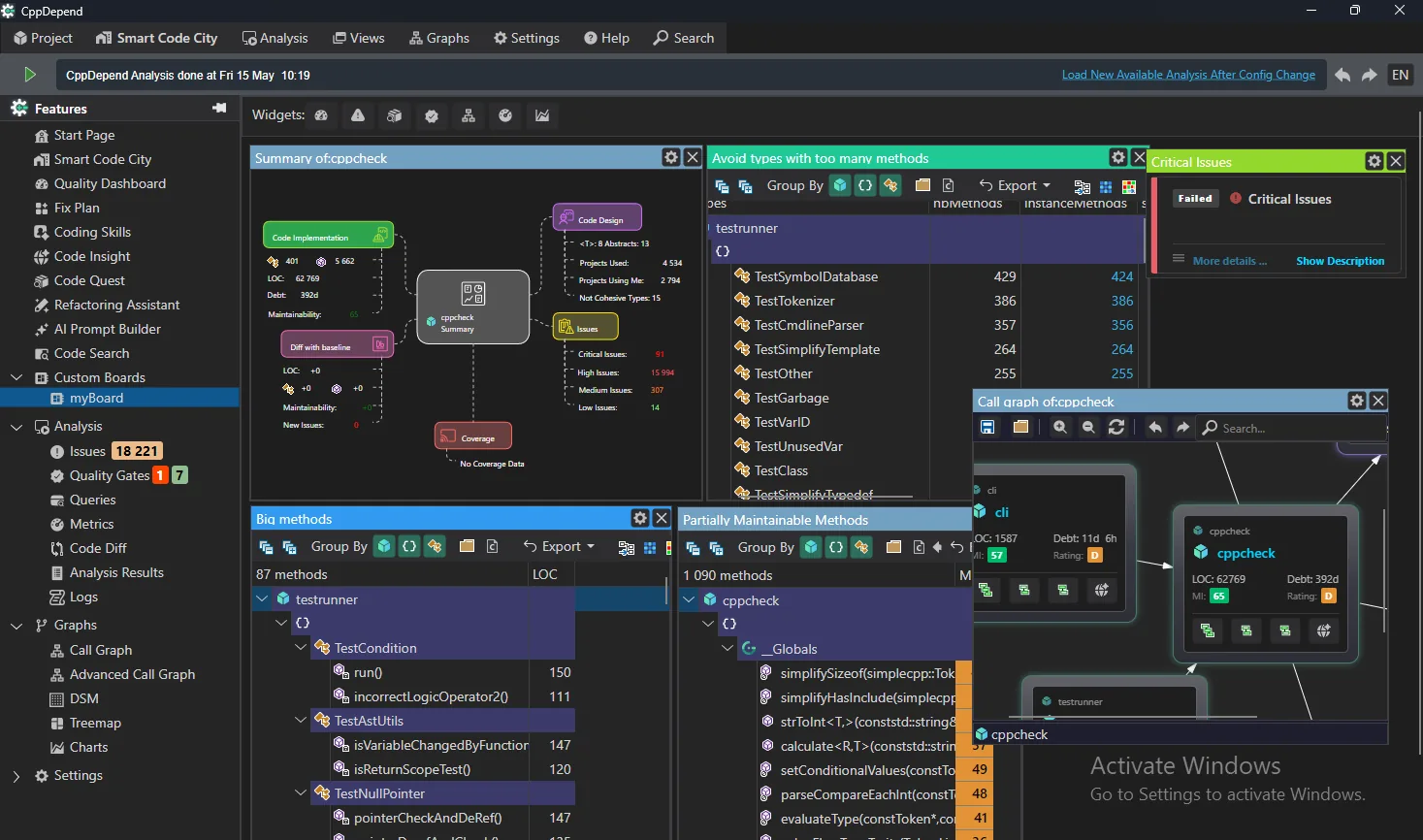
Instead of relying on fixed reports, compose exactly the view you need: each widget can be added, resized and repositioned freely, and boards can be grouped into workbooks to organize multiple pages within a project.
몇 초 만에 보드 만들기
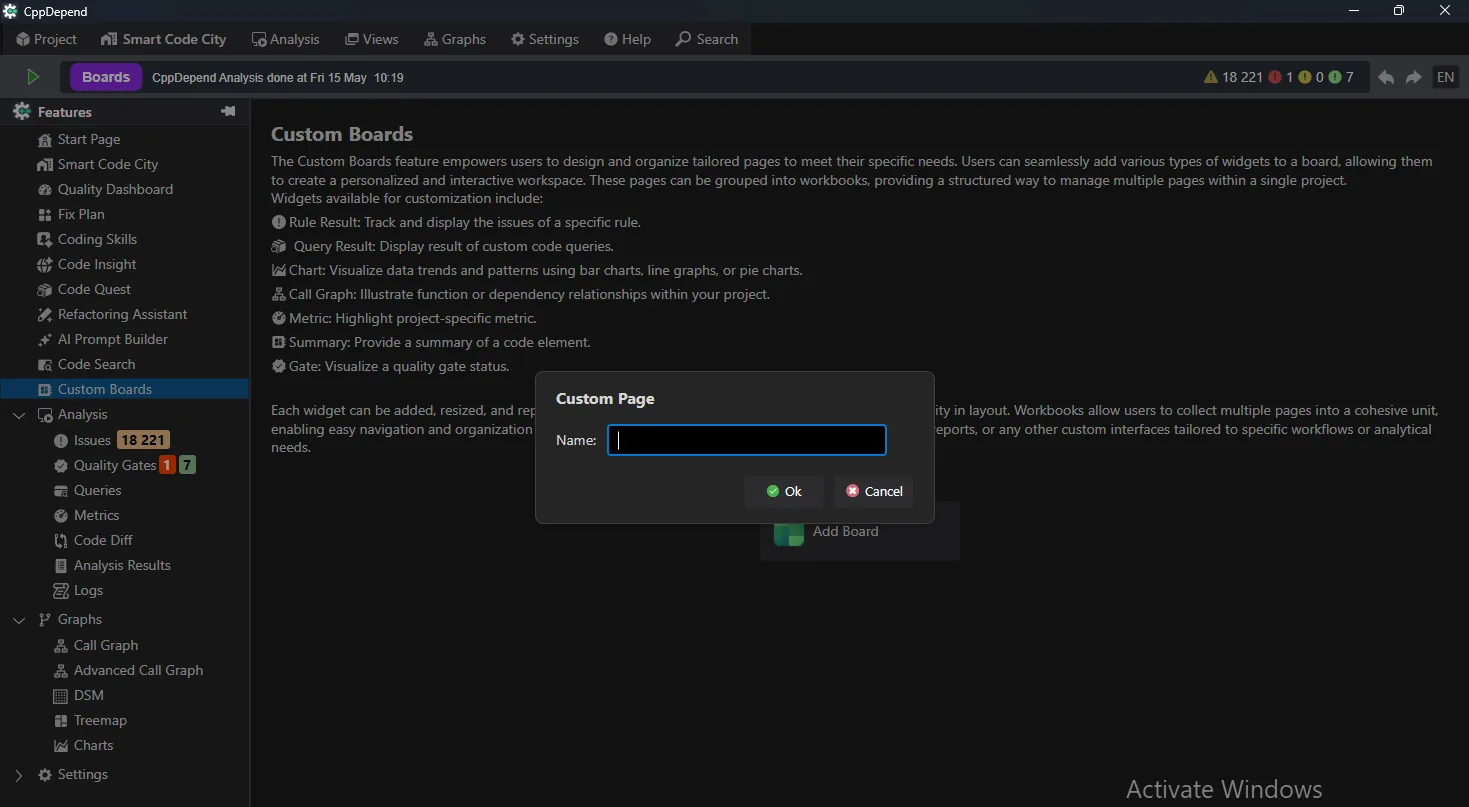
Start from the Custom Boards home page and click 보드 추가 to create a new page. Name it, and your empty canvas is ready to fill with widgets.
A Widget for Every Need
Adding a widget is as simple as picking what you want to track. The widget gallery covers every angle of your codebase:
- ✓Rule widgets — track the issues of a specific rule, like code smells or design violations
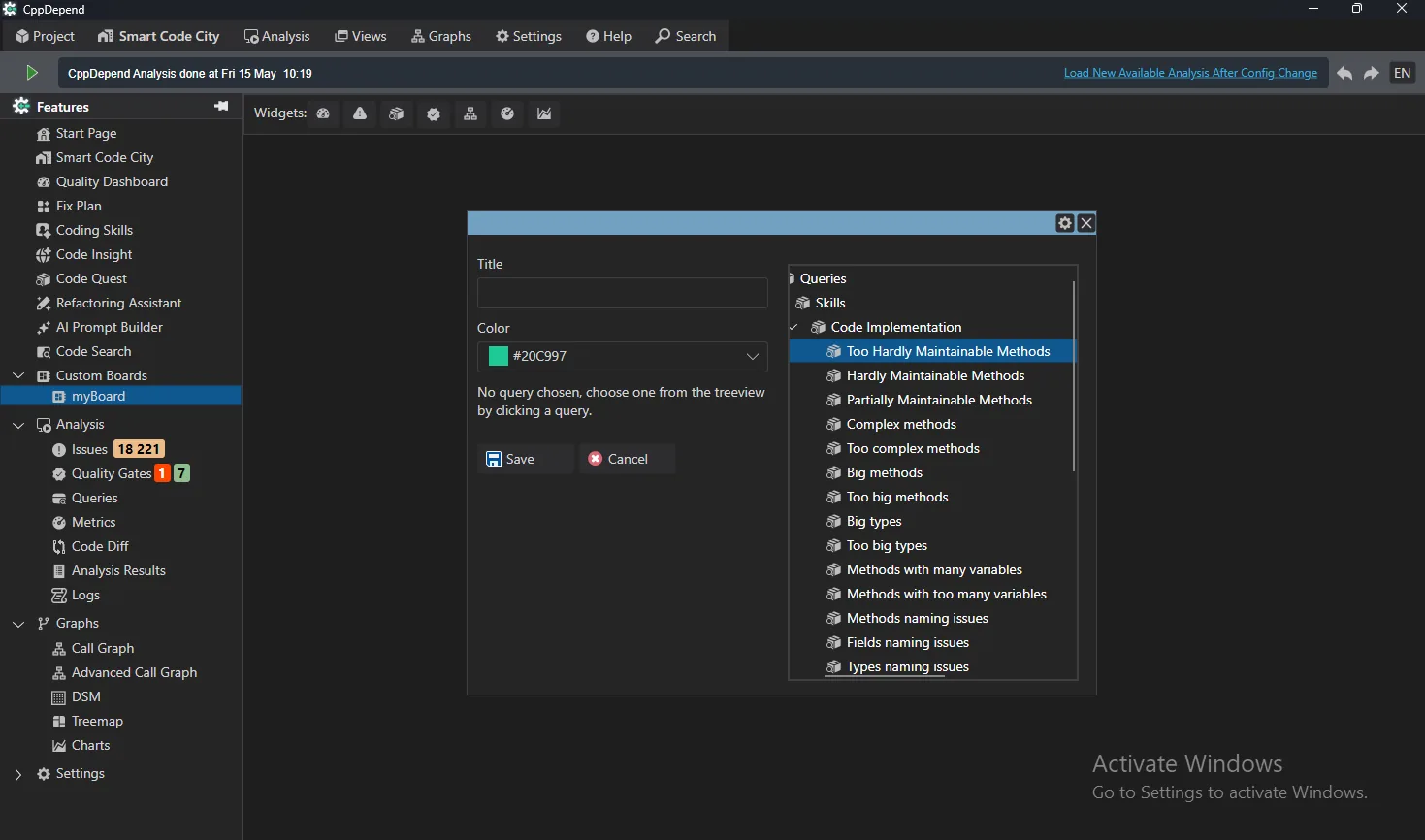
- ✓Query widgets — display live results of any code query, from maintainability hotspots to naming issues
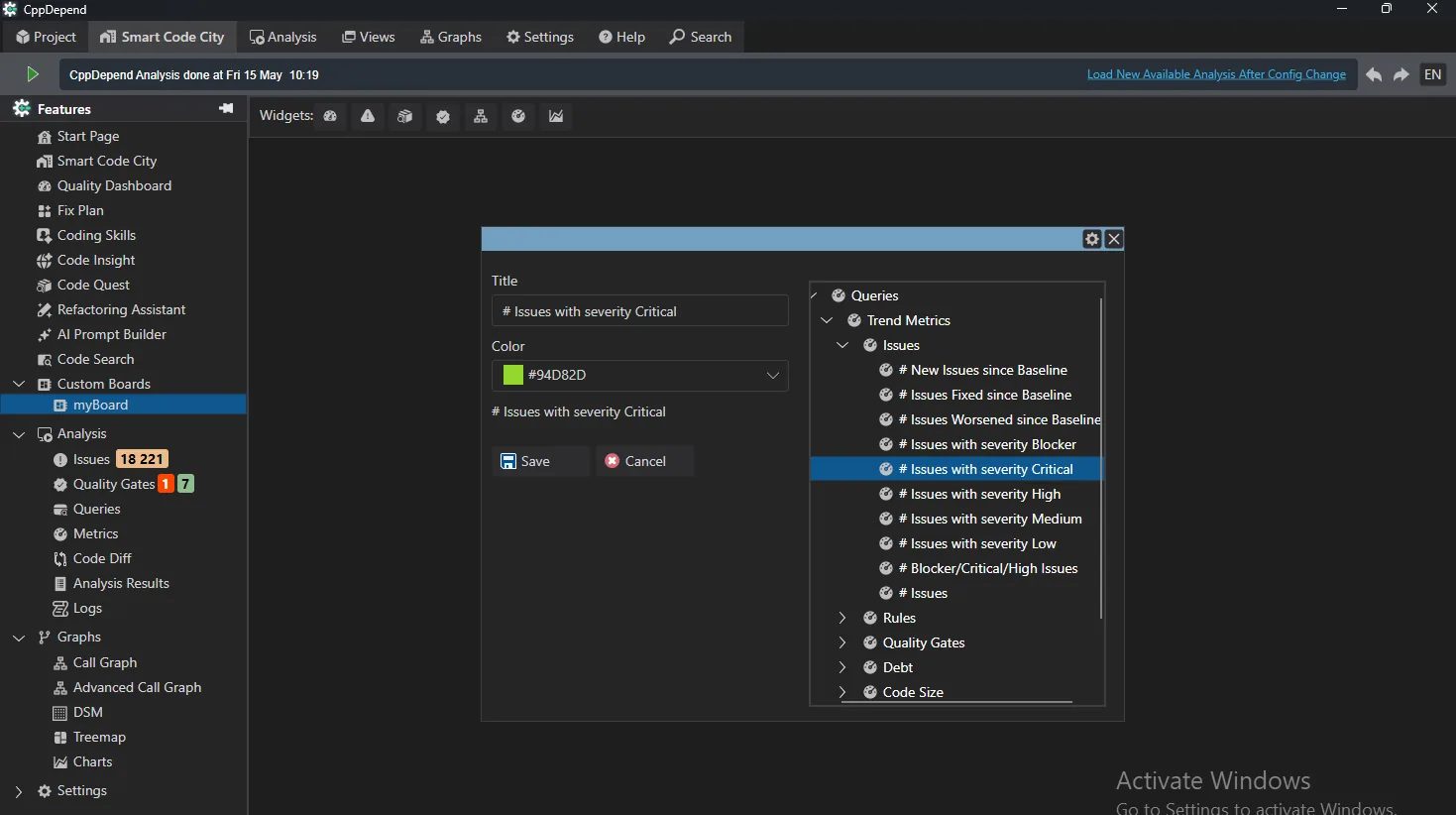
- ✓Metric widgets — highlight key numbers: issues by severity, debt, code size and more
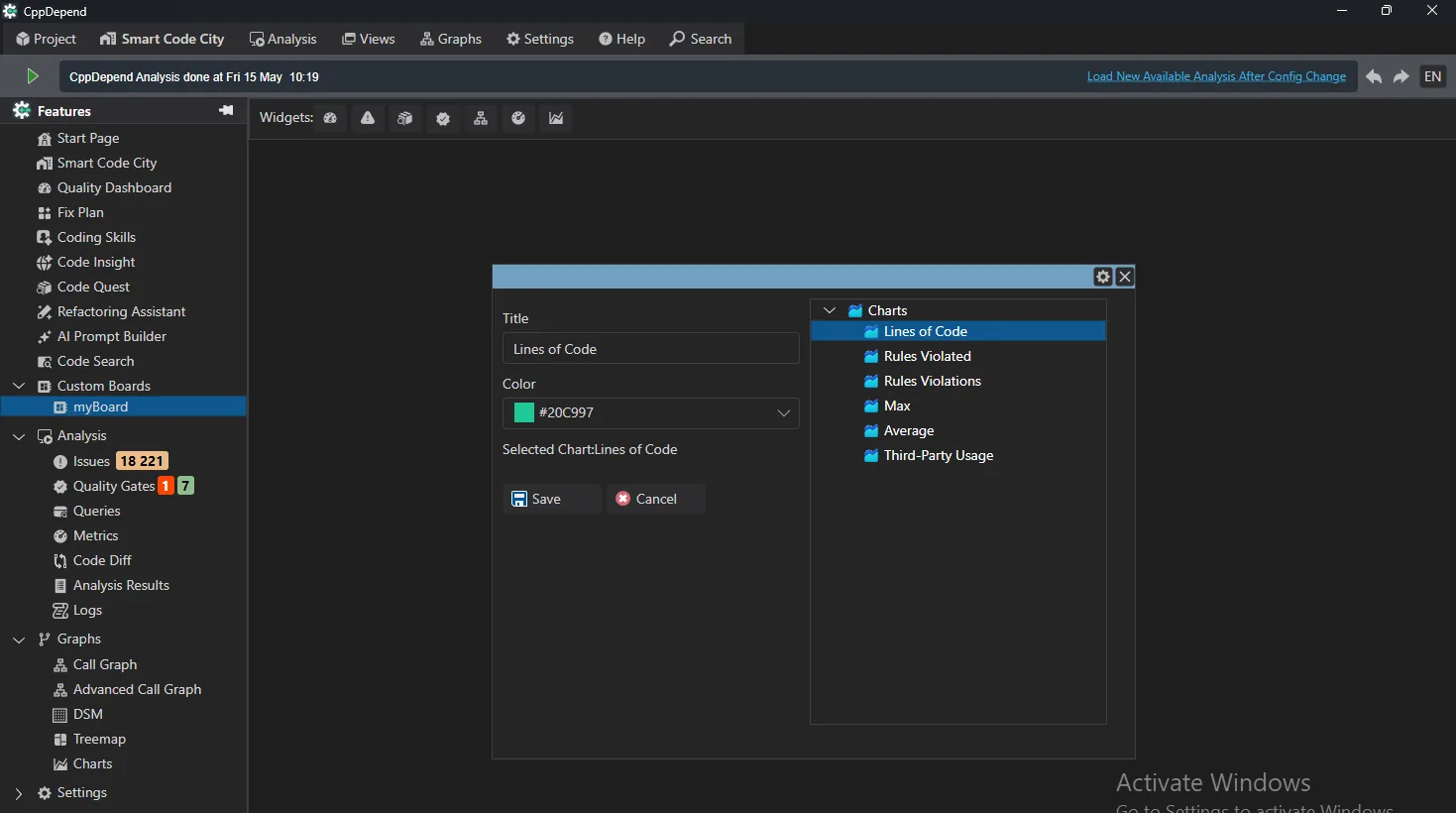
- ✓Chart widgets — visualize trends over time: lines of code, rules violated, third-party usage
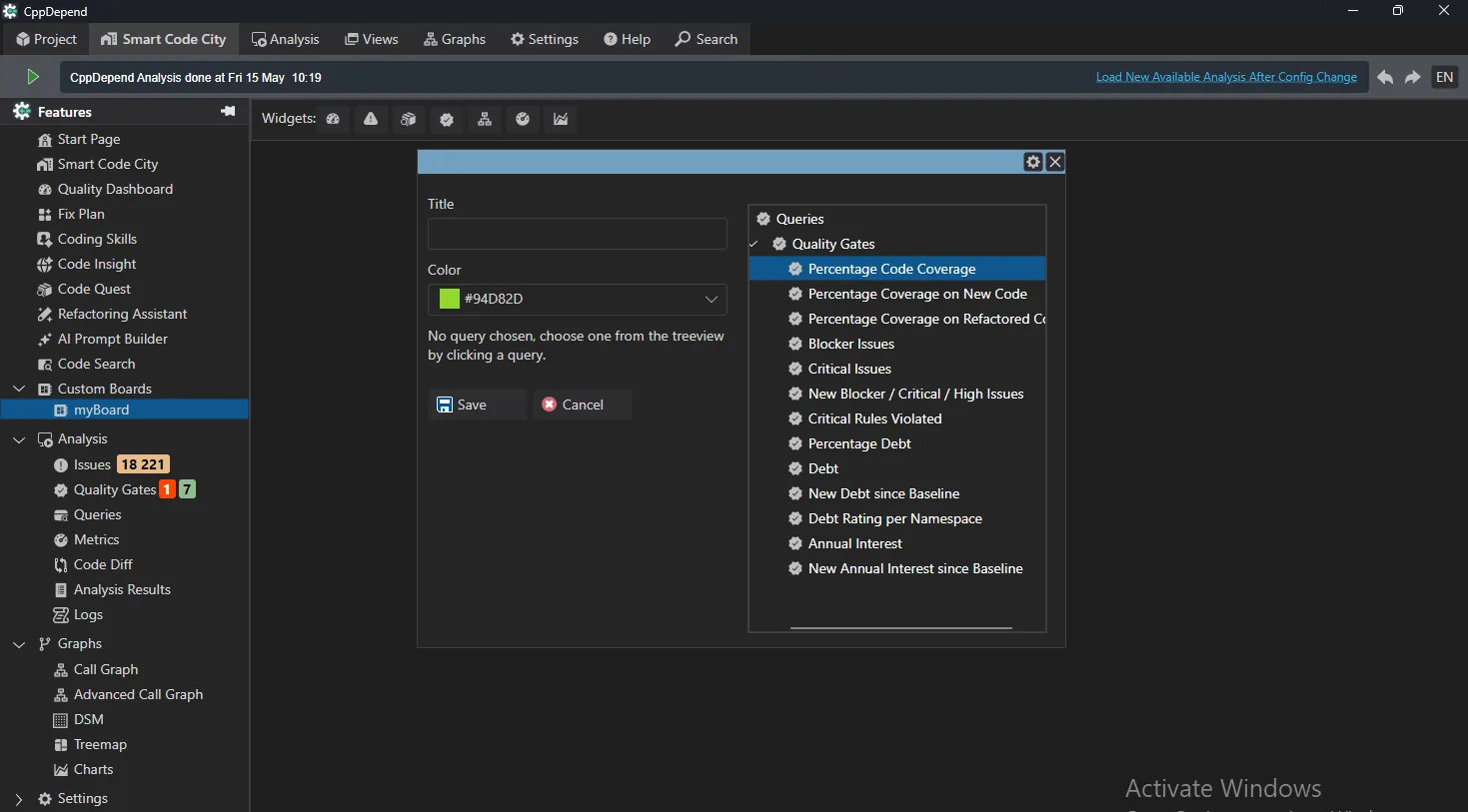
- ✓품질 게이트 위젯 — show pass/fail status of your quality objectives at a glance
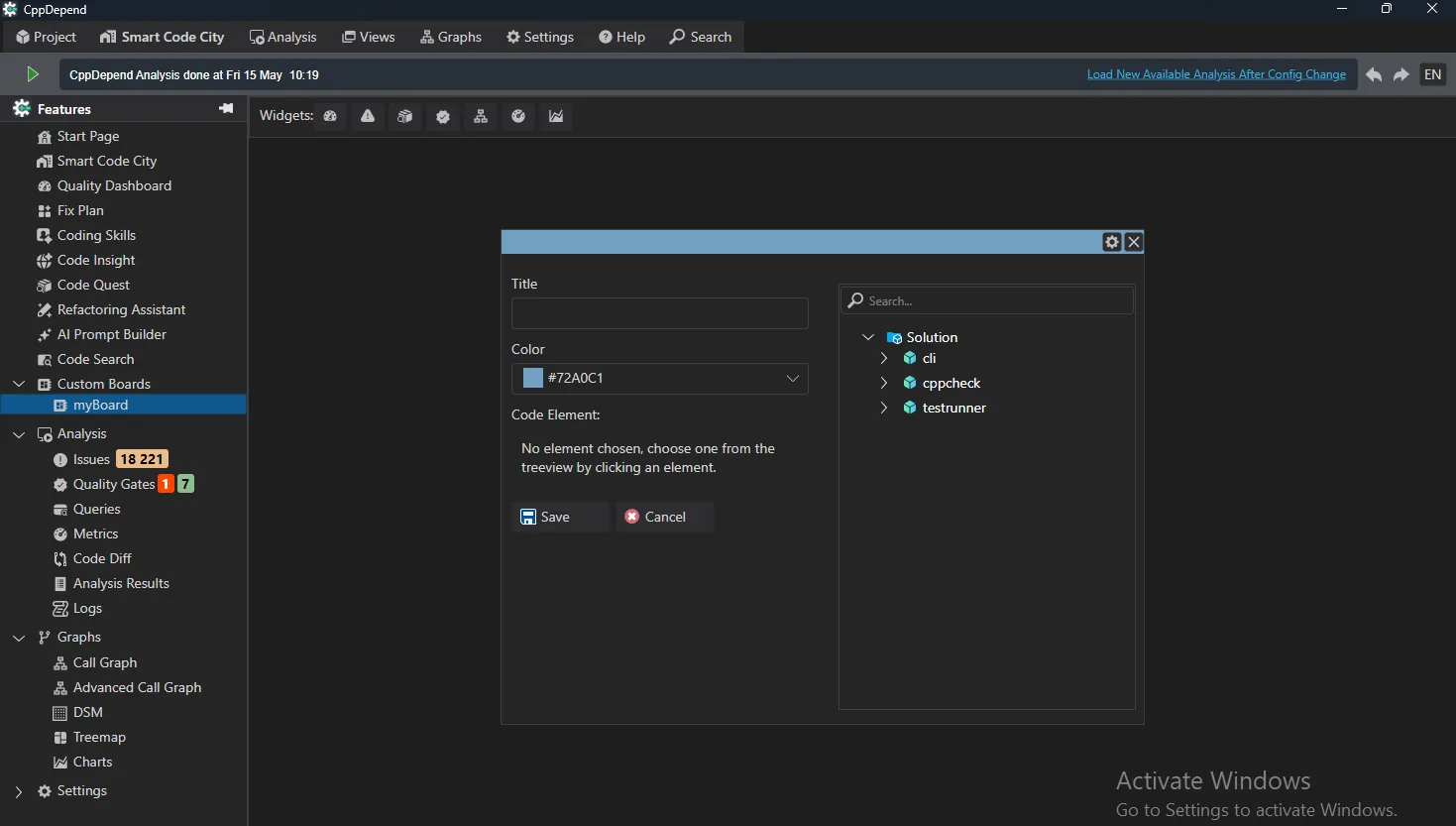
- ✓Summary & call graph widgets — keep a code element's summary or dependency graph always visible
Rule and Query Widgets
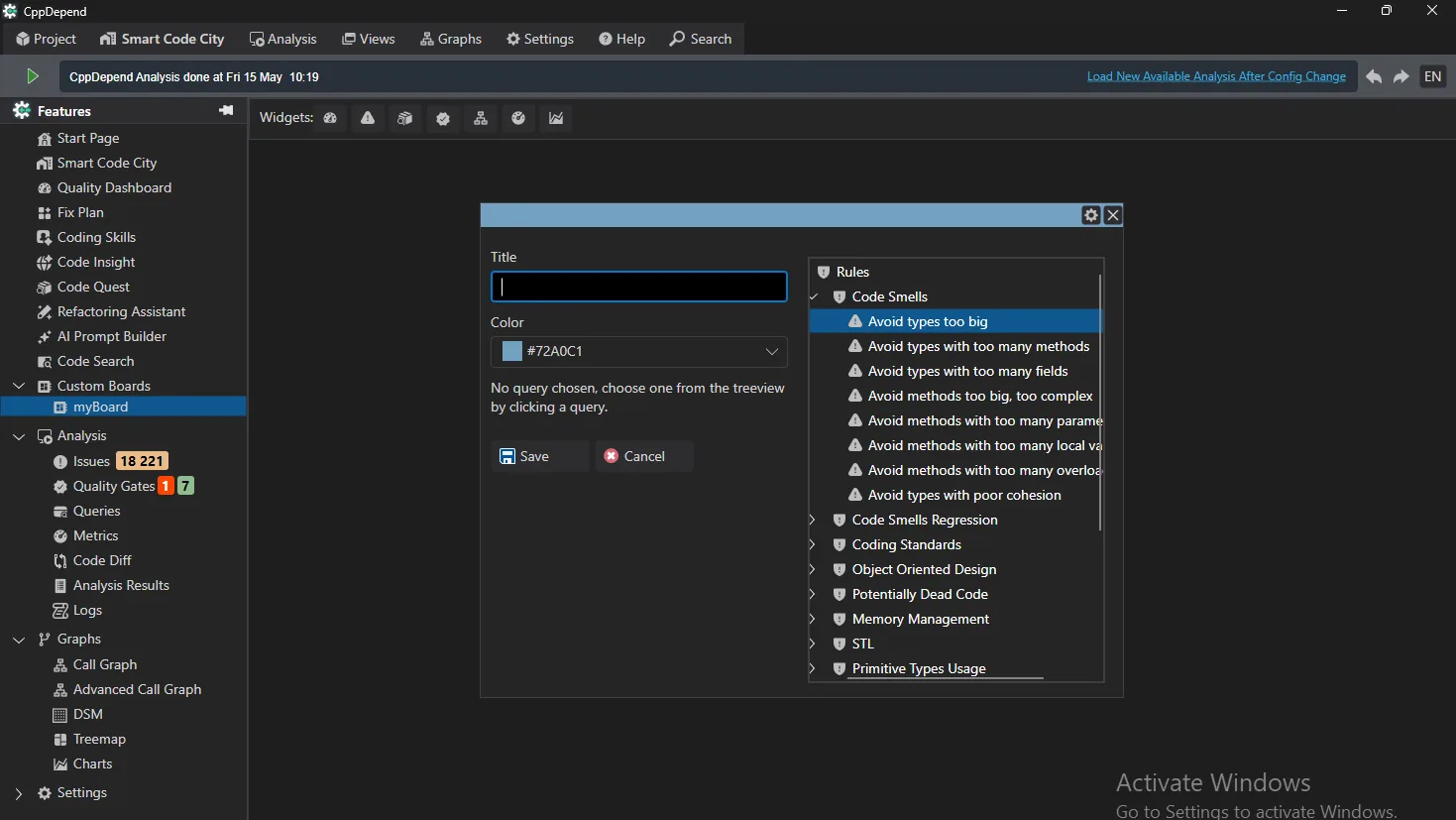
Pin any rule or query to your board. Rule widgets keep an eye on specific issue categories — code smells, coding standards, memory management — while query widgets surface the exact code elements matching your custom criteria.
Metrics and Trends at a Glance
Metric widgets turn any trend metric into a bold number on your dashboard — critical issues, new issues since baseline, debt evolution. Chart widgets plot these metrics over time to reveal where your codebase is heading.
Quality Gates Made Visible
Gate widgets make quality objectives explicit and measurable. Pick any quality gate — coverage, blocker issues, debt rating — and its live pass/fail status stays visible on the board, so regressions are caught the moment they appear.
Share and Align
Boards make it easy to share insights and align the team around common objectives: standardize dashboards across projects, use them as communication tools in reviews, and give every role — developer, tech lead, manager — the view that fits their perspective.
Key Benefits
- ✓Seven widget types covering rules, queries, metrics, trends, gates, summaries and graphs
- ✓Fully interactive layout: add, resize and reposition widgets freely
- ✓Workbooks to group related boards within a project
- ✓Role-oriented dashboards that turn analysis data into decisions
시도 Custom Boards with CppDepend
Start your 14-day free trial with full access to all features. No credit card required.