

Static code analysis is the process of detecting flaws in software’s source code. The static analysis tools are useful to detect common coding mistakes; here are some benefits from using them:
- Make the source code more readable and maintainable.
- Prevent unexpected behavior at runtime.
- Optimize the execution.
- Make the code more secure.
In the C++ world, Cppcheck is the most popular tool to detect issues in your C++ code base. There are several ways to explore Cppcheck results.
- XML format: XML files can be generated by Cppcheck, and they can be used to create a customized HTML report or be used by another tool to explore the analysis results.
- HTML format: an HTML report is a convenient way to present Cppcheck issues; it can be stored on a server and shared with the team.
- IDE Plugins: many Cppcheck plugins are available for exploring issues directly from the IDE.
A few years ago, we added to CppDepend the feature of importing the results of other tools and querying them from CppDepend. We asked Daniel, the lead developer of Cppcheck, if we could integrate his tool inside CppDepend. He replied: “a battery of tools is better than using 1 tool” — so there was no problem embedding his tool.
Let’s explore the possibilities CppDepend provides to Cppcheck users:
1. Query the issues with CQLinq
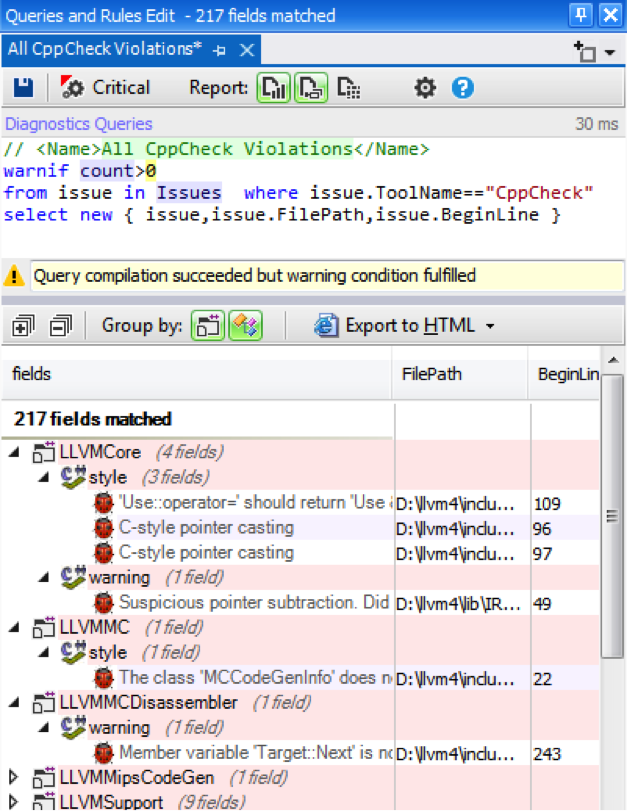
Using CQLinq makes it possible to query the issues like a database. For example, you can get all the Cppcheck issues:
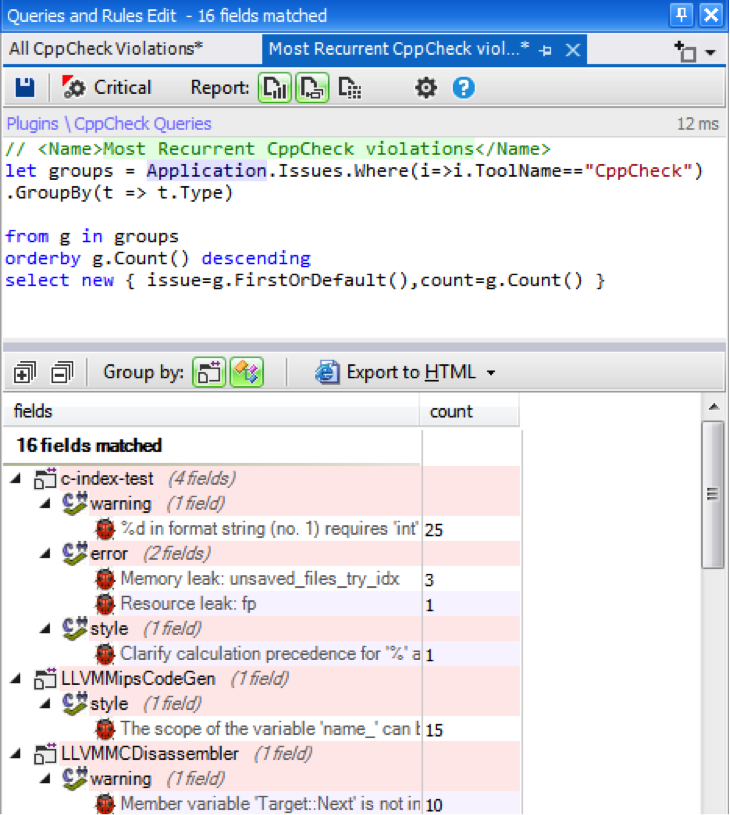
Or get the most frequently occurring issues:
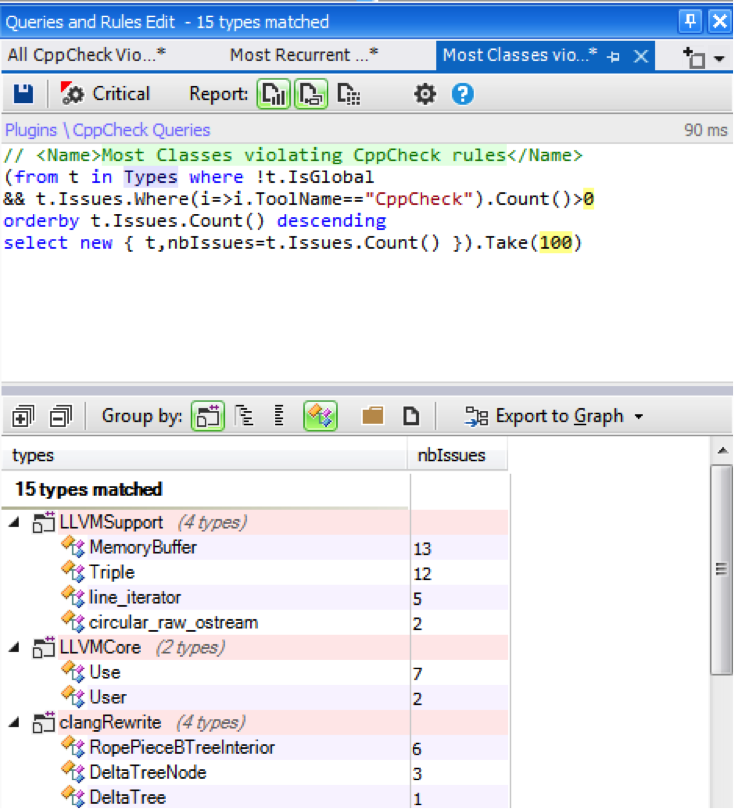
It is also useful to identify the classes with the most issues:
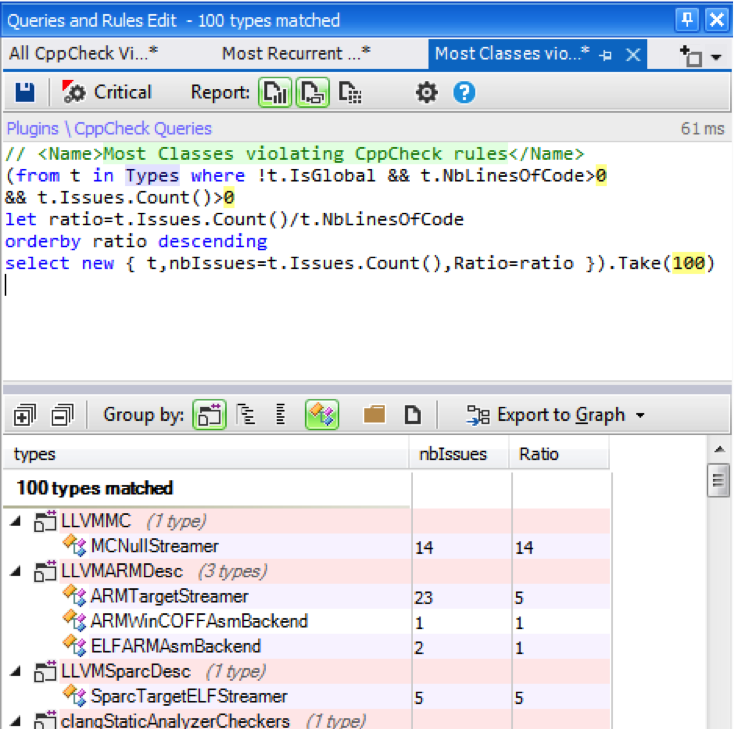
The previous query is useful, but it does not tell us exactly which classes have the poorest quality; another useful metric to consider is NBLinesOfCode. We can modify the previous query to calculate the ratio between the issue count and NBLinesOfCode.
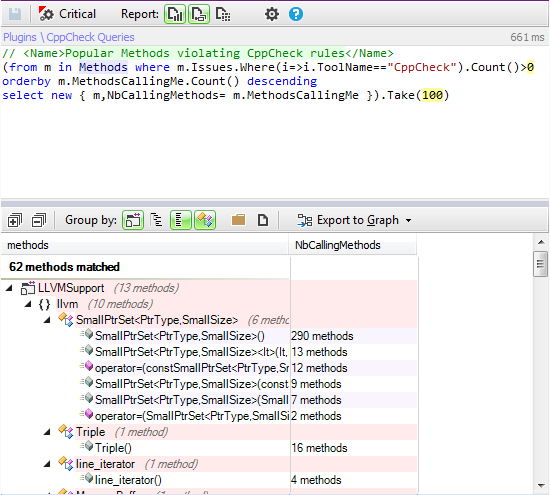
We can also search for the most frequently used methods that have issues. Bugs in such methods should be given a high resolution priority.
2. Generate Issues Trend
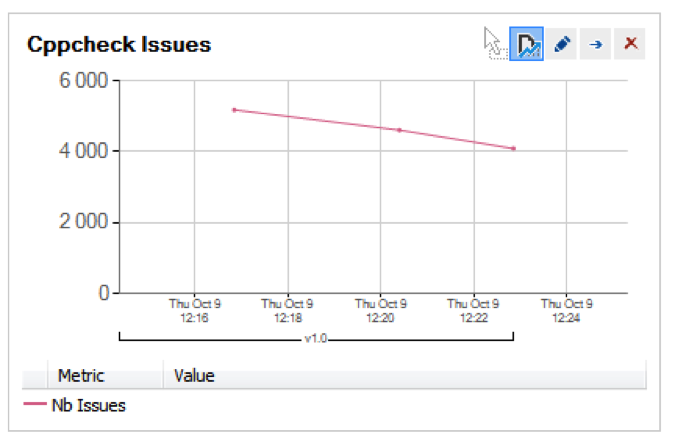
Having issues in a project is not unusual; any project can have many problems to resolve. However, we have to check the quality trend of the project. Indeed, it is a bad sign if the number of issues increases as the project changes and evolves. CppDepend provides the trend monitoring feature to create trend charts.
Trend charts are built from metric values recorded over time during analysis. More than 50 trend metrics are available by default, and it is easy to create your own trend metrics.
With this trend chart, we can monitor the evolution of Cppcheck issues:
3. Generate custom HTML report
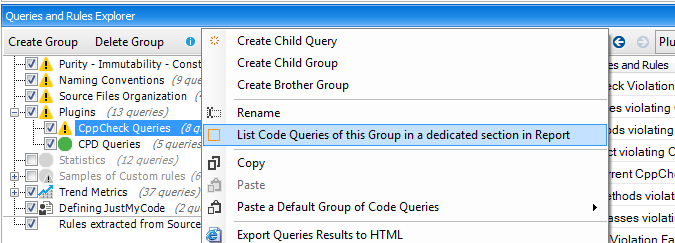
CppDepend makes it possible to append extra report sections to the HTML report that list some CQLinq queries. In the CQLinq Query Explorer panel, a particular CQLinq reported group is bordered with an orange rectangle.
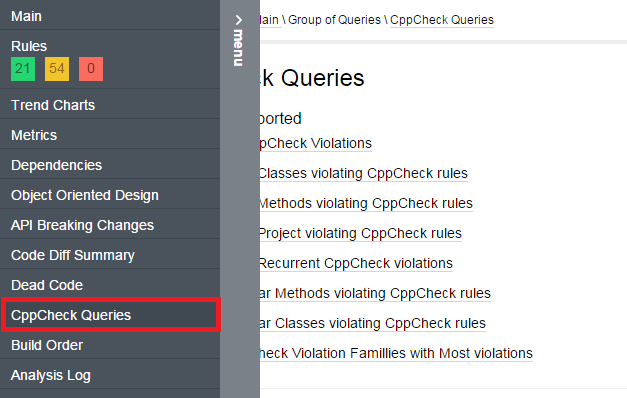
And in the HTML report these added sections are accessible from the menu:
4. Integrate cppcheck into the build process
CppDepend comes with the notion of Critical CQLinq Rule. Critical rules represent a means to define high-priority rules that must never be violated. With critical rules, it is possible to break the build process when a critical rule violation occurs.
A critical rule is just a CQLinq rule with the flag Critical Rule checked:
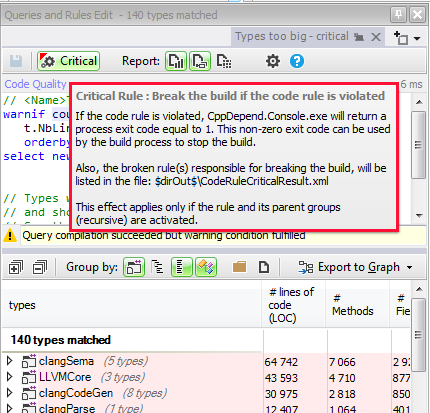
During the build process, when a critical rule is violated, the process CppDepend.Console.exe returns a non-zero exit code. This behavior can be used to break the Build Process if a critical rule is violated.
We can easily define a Cppcheck critical rule to break the build if certain kinds of Cppcheck issues are found.
Summary
CppDepend is open to other static analysis tools, and you can also plug in your customized tool easily, as described here. This way, you can use all of CppDepend’s features to better explore results from well-known C/C++ static analysis tools.
Special thanks to Daniel for allowing us to embed his excellent tool in CppDepend.