
Getting Started with CppDepend
Download and Install CppDepend
Step 1: If you have not downloaded the CppDepend installer yet, please visit: https://www.cppdepend.com/download
Step 2: Install the CppDepend Professional files on your computer. To install CppDepend, simply unzip the downloaded files into a private application folder of your choice.
%ProgramFiles%\CppDepend. Doing so may cause issues due to Windows folder protection.Launch CppDepend
Run VisualCppDepend.exe on Windows.
On Linux or macOS, run from a terminal:
user@machine:~/cppdepend$ ./VisualCppDepend.shCreate New CppDepend Project
Click Create New Project. The language combobox permits to choose between C++, C or Java projects. Add your projects to parse.
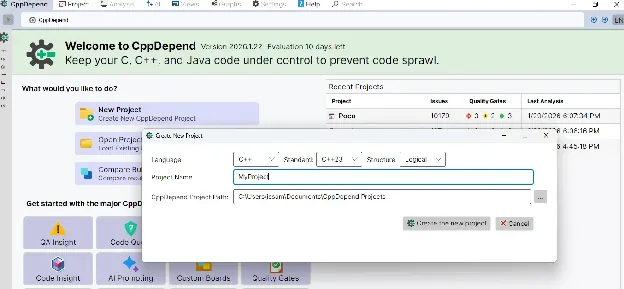
Adding new C/C++ Project
The following kinds of projects are managed by CppDepend:
- •.vcproj, .vcxproj, .sln: Visual Studio projects.
- •JSON compilation database: A compilation database is a database for compile options. It records which compile options are used to build the files in a project. The compilation database could be generated from CMake or Ninja, and there are many other ways to generate a compilation database.
- •.build files: The recommended way to analyse your C\C++ projects other than the VS, QtCreator and CMake ones, is to use the BuildMonitor tool to intercept all compilation and link commands.
- •Set of source files: You can use the ProjectMaker tool to describe the specification of your project. With ProjectMaker you can specify your source files, the include paths and the defines.
- •Java source folders.
Run Analysis
Once your projects are added, click on the Run Analysis button to launch the analysis.
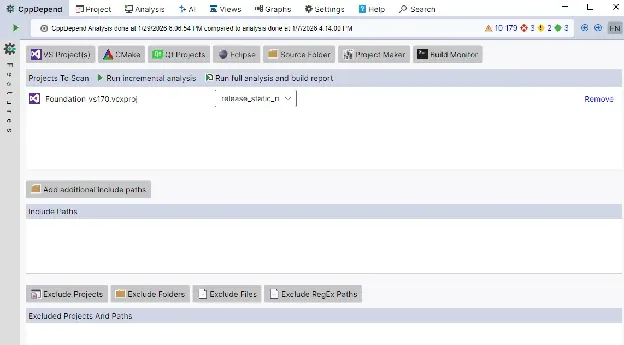
Once the analysis is done, the result is displayed in the VisualCppDepend.exe UI.
Explore Results
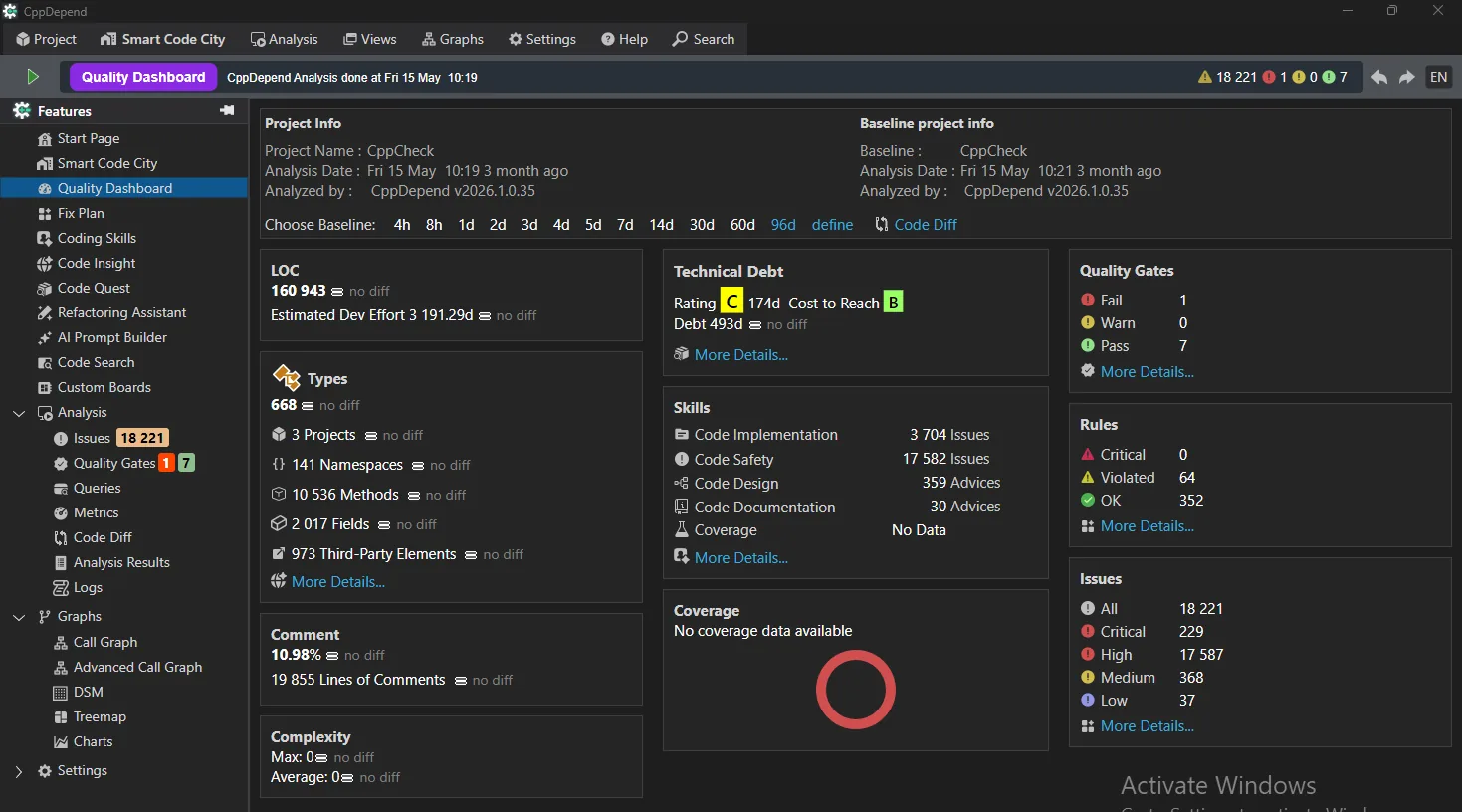
After analysis, explore your results through the VisualCppDepend dashboard with interactive visualizations and detailed reports.
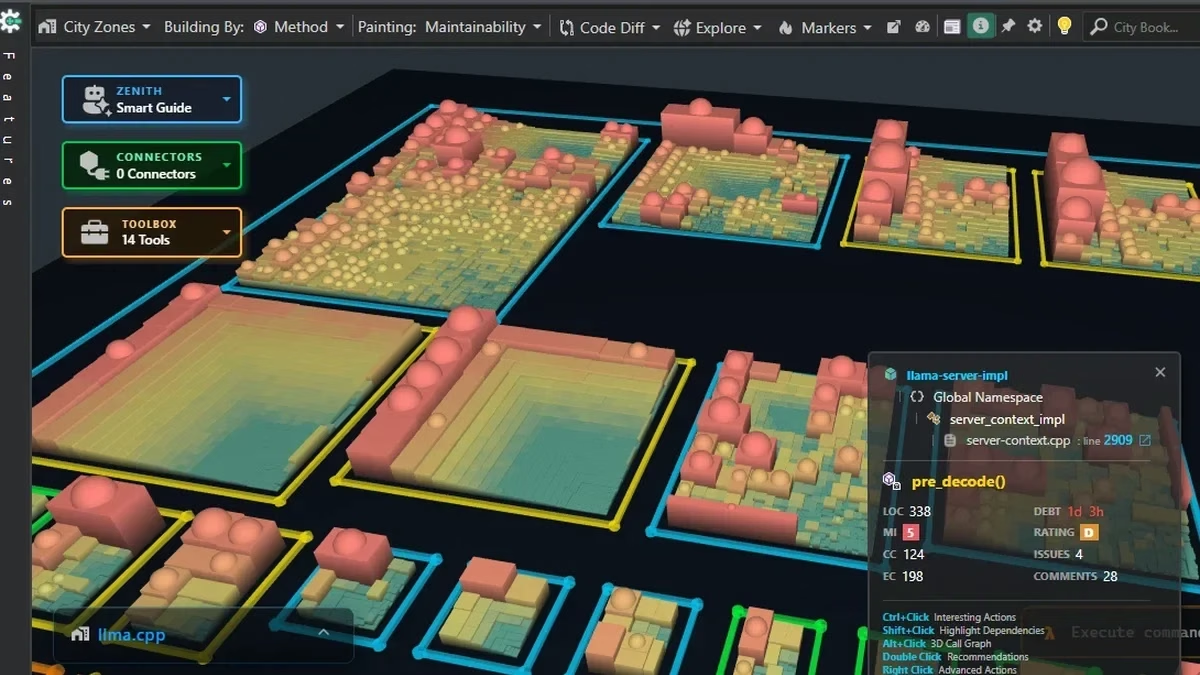
You can also explore your codebase visually as an interactive 3D Code City, where every building represents a type or a namespace — an easy way to see at a glance what is going on in your code.
Major Features to Explore
Tips for Using CppDepend
- Always save your project file in a secure folder to avoid accidental deletion.
- Regularly analyze your code to detect issues early.
- Use the reports and dashboards to track code quality trends over time.
- Explore our full documentation for advanced features.
Try CppDepend Today
Start your 14-day free trial with full access to all documentation features. No credit card required.