

Visual C++ is one of the most widely used C++ development environments and provides developers with many useful features. Each new version introduces major improvements, and numerous extensions are available to enhance the development experience. In this post, I will discuss some useful features provided by CppDepend.
Visualize Your Code Base
Dependency Graph
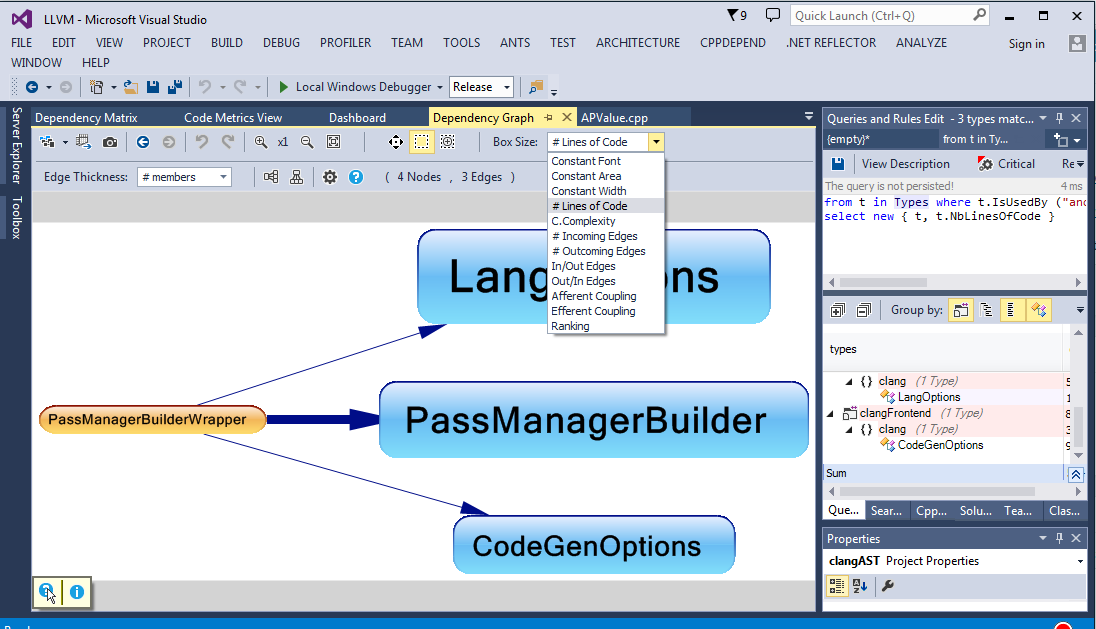
The dependency graph is one of the most common ways to represent dependencies between code elements, and Visual Studio provides a useful implementation. The graph provided by CppDepend is more focused on code quality: box size and edge thickness can be proportional to any of several available metrics.
Dependency Matrix
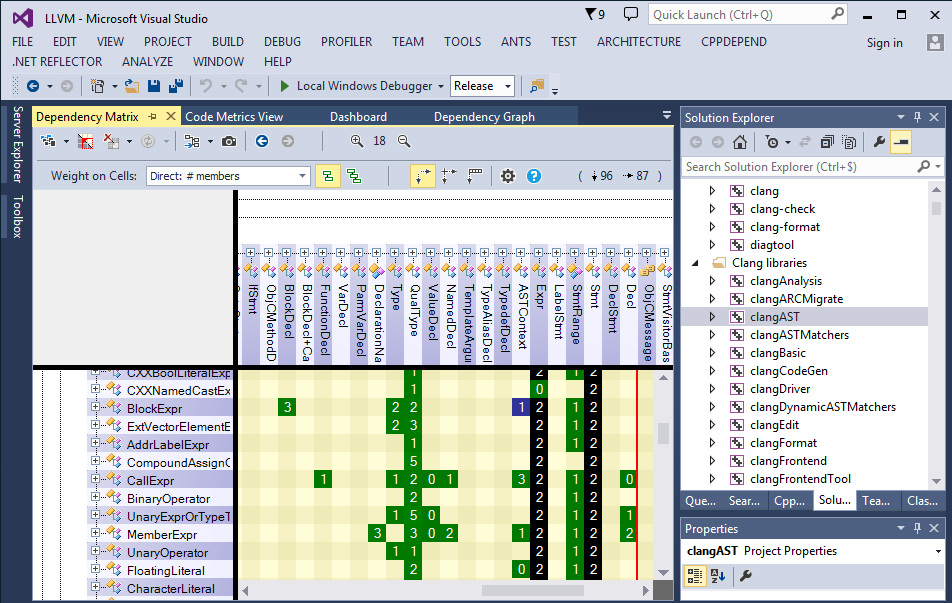
The DSM (Dependency Structure Matrix) is a compact way to represent and navigate dependencies between components. DSM is used to represent the same information as a graph, but it’s more practical if:
- Many code elements are involved.
- You need to determine the dependency weight between elements.
- You need to identify dependency cycles between code elements easily.
Treemap
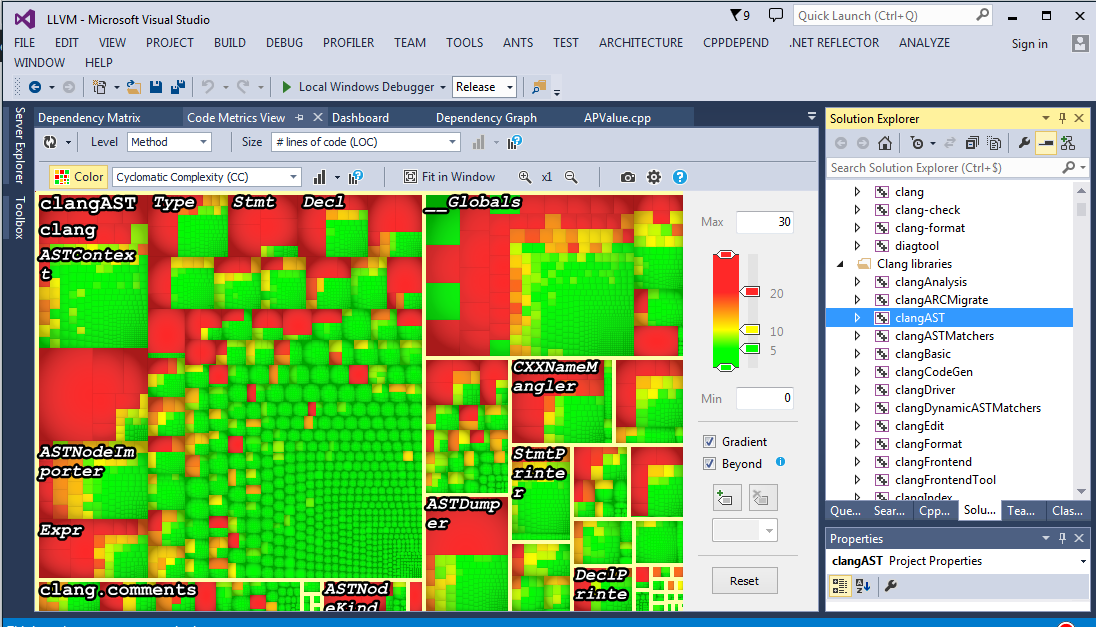
In the Metric View, the code base is represented using a Treemap. Treemapping is a method for displaying tree-structured data by using nested rectangles. The tree structure used is the usual code hierarchy:
- C/C++ projects contain namespaces
- Namespaces contain types
- Types contain methods and fields
The size of each rectangle is proportional to the selected metric; by default, it is NbLinesOfCode. The Metric View can also display a second metric by coloring the treemap elements, allowing two code metrics to be visualized at once.
For example, in this treemap, rectangle size represents lines of code, while color represents cyclomatic complexity. This makes it easy to identify the largest and most complex methods visually.
Metrics Info
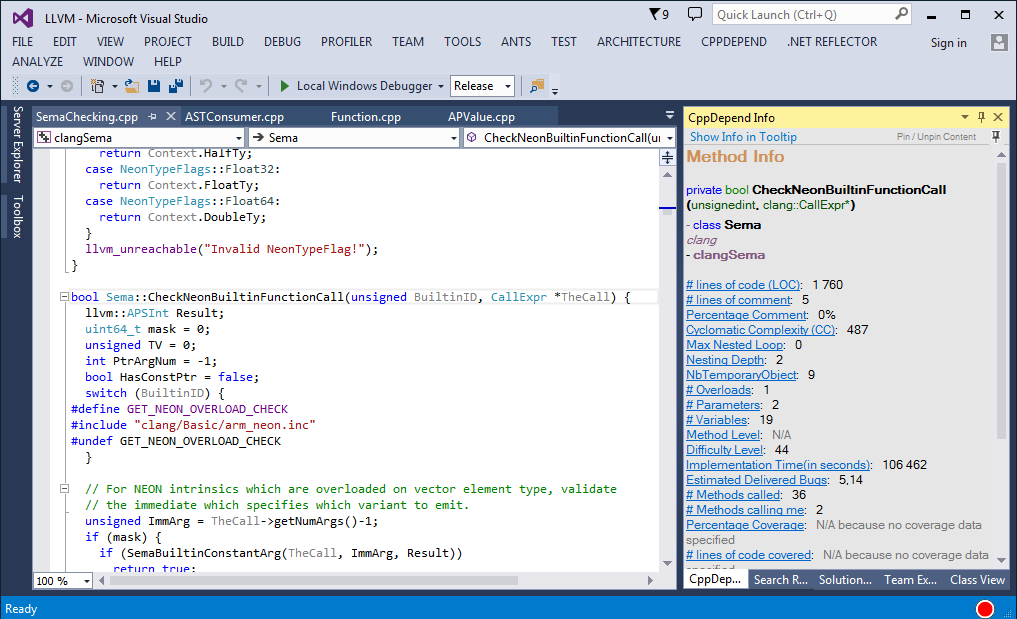
Many metrics are available for projects, namespaces, classes, methods, and fields. The Info View reports some of these metrics, making it easier to assess implementation quality during development.
Define Rules
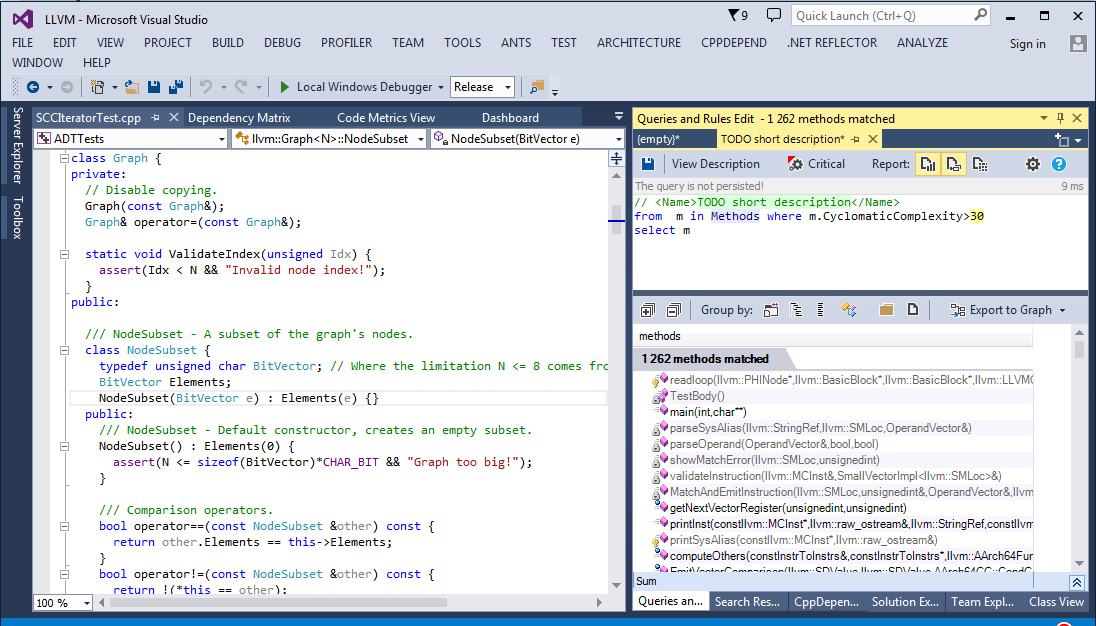
CQLinq is perhaps the most powerful feature provided by CppDepend. It allows us to define advanced queries easily and search for specific code elements. The CQLinq editor provides many useful features for creating custom rules, with results calculated in real time.
Get Diagnostics
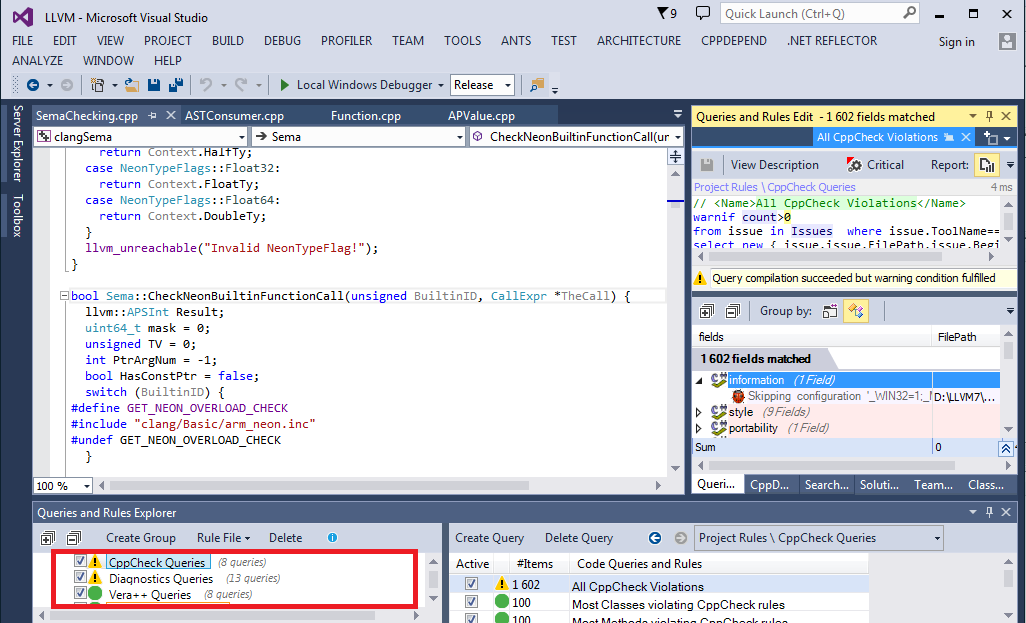
With CppDepend, you can easily retrieve issues reported by Clang, Cppcheck, and Vera++. Other tools can also be integrated through the API.
Trend Charts
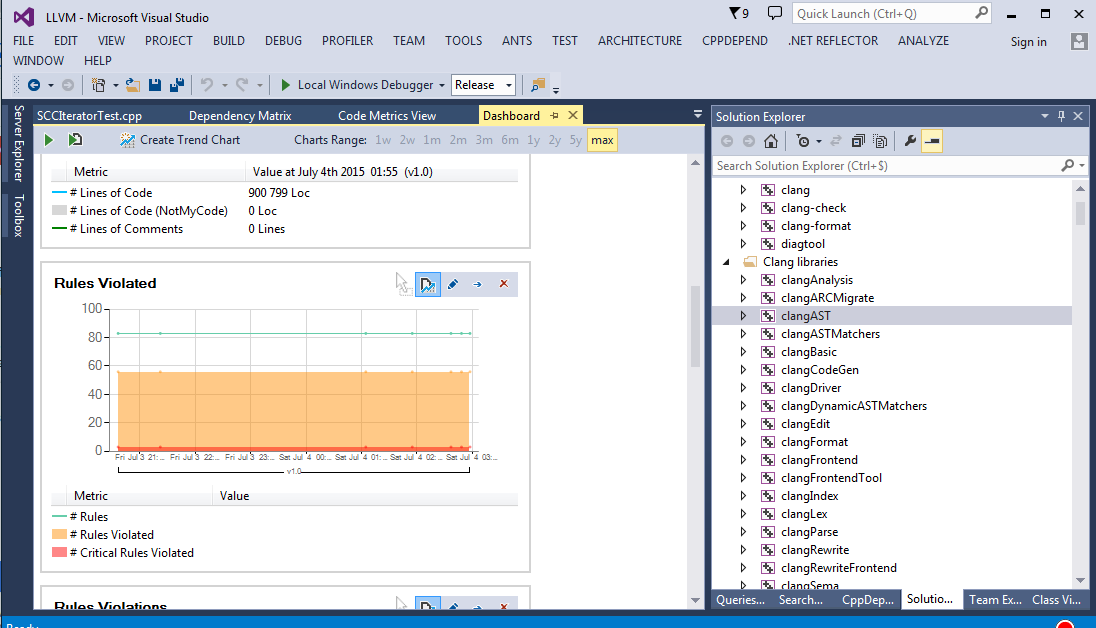
Trend charts are useful for tracking how a metric evolves as the code changes. Many charts are provided by default, and you can easily create your own.
Advanced Search
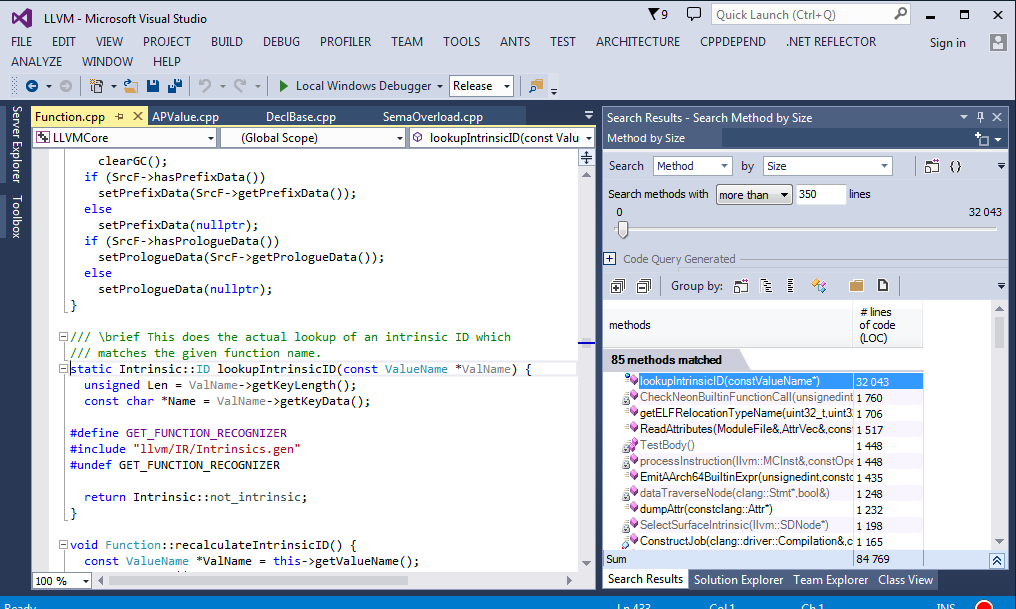
Sometimes, it is useful to search for methods by code size, cyclomatic complexity, comment percentage, coupling, and other metrics.
CppDepend provides this capability, allowing you to search for code elements using a wide range of metrics.
Conclusion
CppDepend can help you better understand your code base and identify implementation and design flaws. However, as mentioned earlier, its rich feature set can make it somewhat difficult to use at first. It takes a few hours to become familiar with some of its capabilities.