
CQLinq: Query Your Code Like a Database
Write LINQ Queries to Explore, Analyze, and Enforce Code Quality
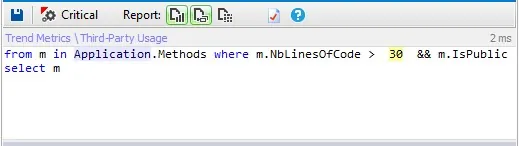
CppDepend revolutionizes code analysis with its integration of Linq, a feature that allows querying the code base using LINQ queries. For instance, the following Linq query identifies all public methods exceeding 30 lines of code.
When creating a new CppDepend project, you receive 120 default queries and rules, which are easily customizable to suit your requirements.
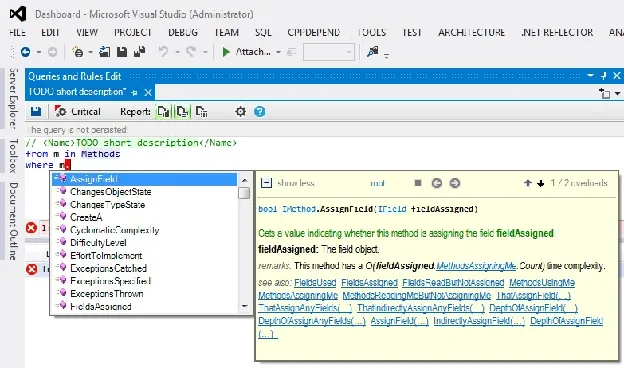
Writing Linq queries and constraints is straightforward both because it is C# LINQ syntax and because CppDepend provides a Linq editor which supports:
- ✓Code completion / intellisense
- ✓Live compile error description
- ✓Integrated tooltip documentation
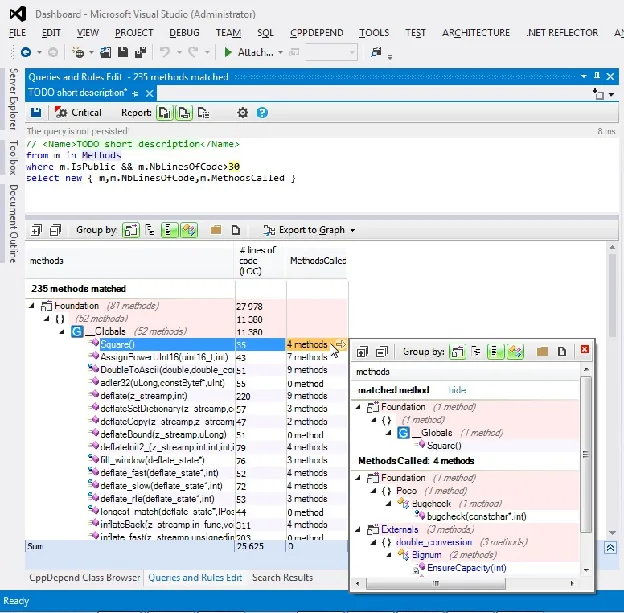
Also, once the query is compiled, it gets executed immediately and its result is well displayed and browsable:
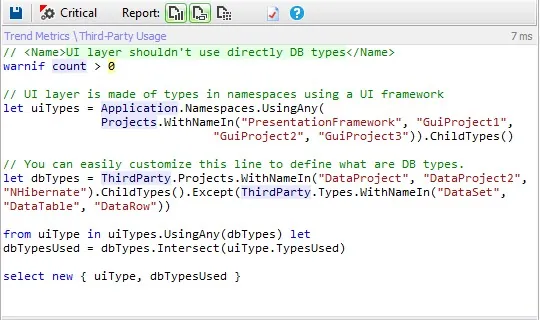
Powerful and elaborated queries and rules can be written with Linq, like the following one for example:
Query Examples
Short Linq queries can be written (or even generated) to get some immediate answers to questions about a code base:
Is the code layered correctly?
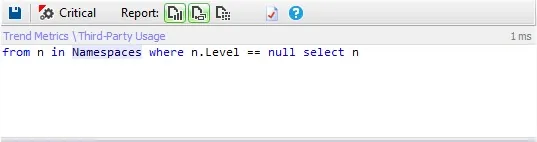
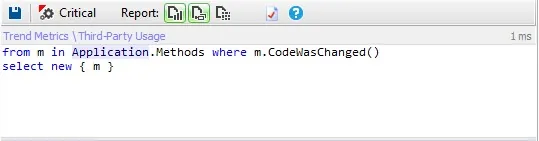
Which methods have been refactored since the last release?
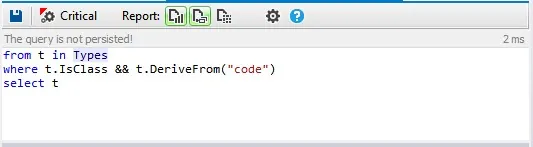
Which classes inherit from a particular class?
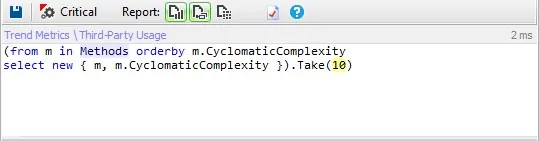
What are the 10 most complex methods?
Which methods assign a particular field?
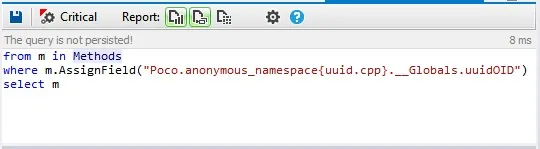
Which complex method is not enough commented?
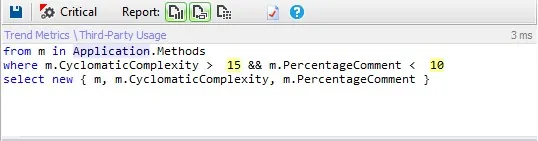
Code Rules
You can also be warned automatically when a Linq query returns a certain result. Such a Linq code query is actually a code rule such as:
I don't want that my User Interface layer to depend directly on the DataBase layer:
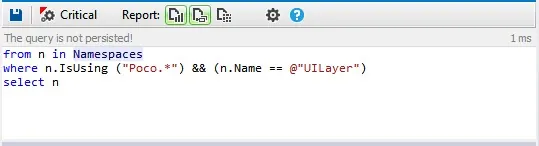
Methods out of MyProject1 and MyProject2 should not have more than 30 lines of code:
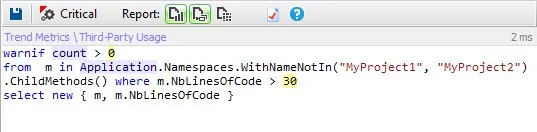
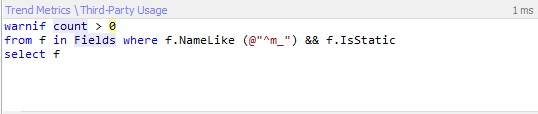
Static fields should not be named m_XXX (Custom naming conventions):
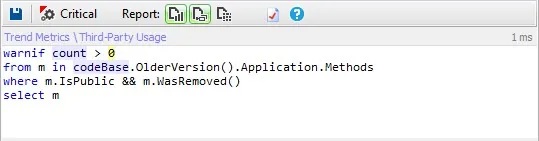
Public methods should not be removed to avoid API breaking changes:
Related Link: Linq Performance.
Try CQLinq: Query Your Code Like a Database with CppDepend
Start your 14-day free trial with full access to all features. No credit card required.
PRQL Quick Reference Sheet
A searchable cheat sheet with 37 ready-to-use PRQL queries: basic queries, code implementation, architecture & safety, issues & debt, code design, code diff, dependencies and statistics.