Home/Docs/Getting Started/VSCode Extension

Installing CppDepend VSCode Extension

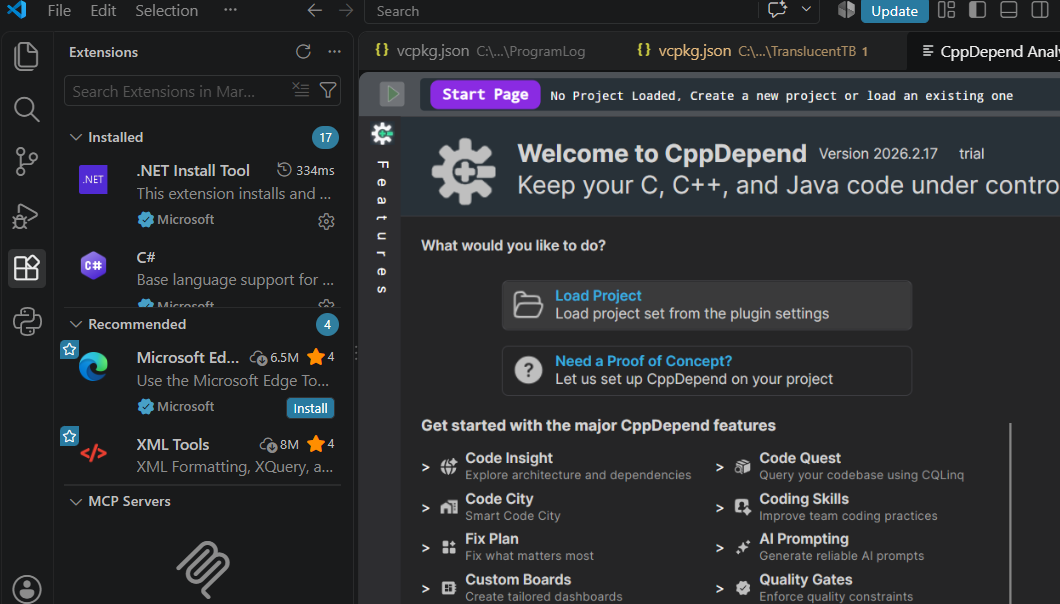
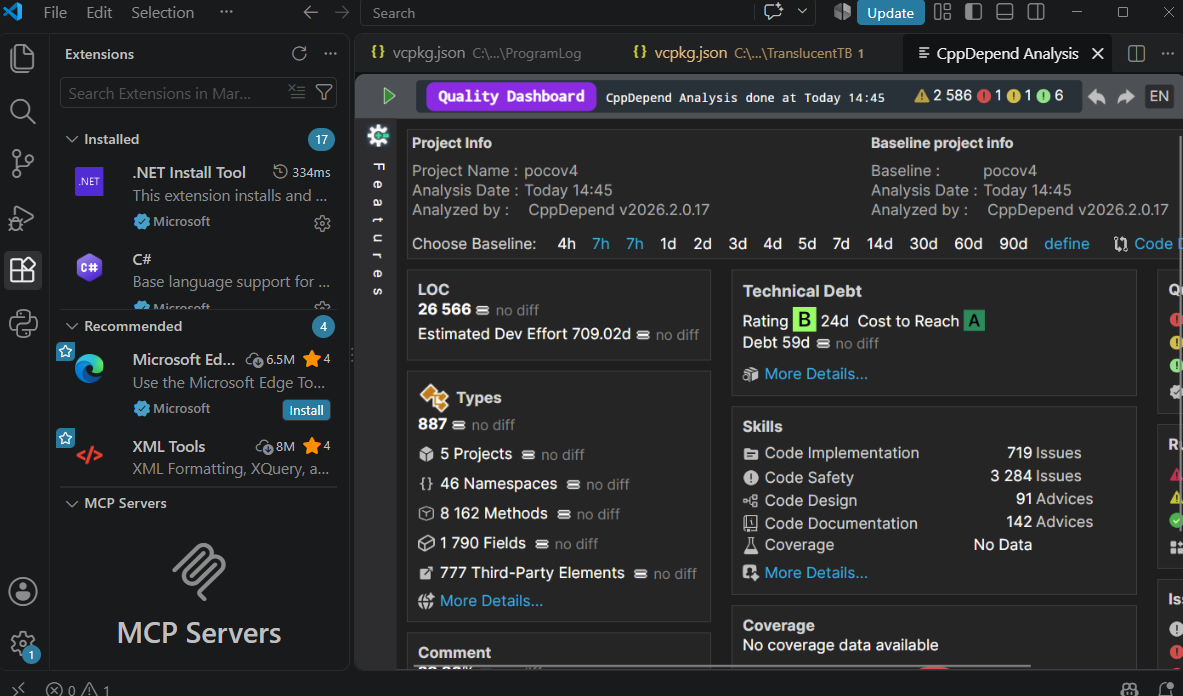
Bring the power of CppDepend directly into your Visual Studio Code workflow.

Overview

This extension provides advanced code quality and architecture analysis seamlessly integrated inside Visual Studio Code. Since the extension is packaged as a VSIX file, you can install it using one of the methods below.

Installation

Method 1: Using the VS Code Command Palette

  1. 1Open VS Code.
  2. 2Open the Command Palette (Ctrl+Shift+P or Cmd+Shift+P).
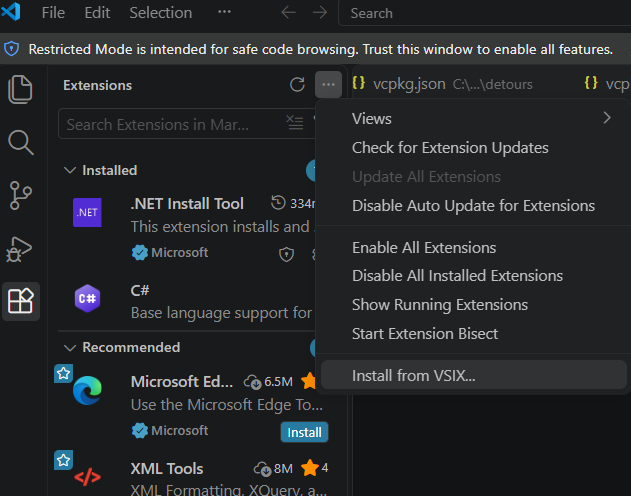
  3. 3Type and select Extensions: Install from VSIX...
  4. 4Navigate to your installation folder and select the VSCode/cppdepend-1.0.0.vsix file.

Method 2: Via the Terminal

Run the following command in your terminal, providing the path to the VSIX file:

Terminal
code --install-extension /InstallFolder/VSCode/cppdepend-1.0.0.vsix

Extension Settings & Configuration

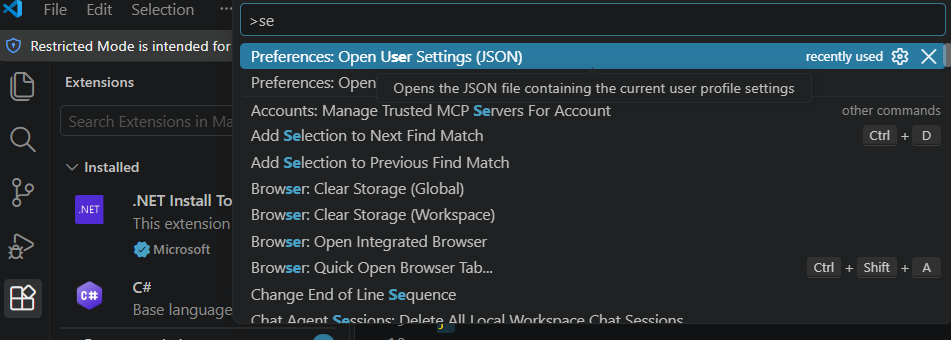
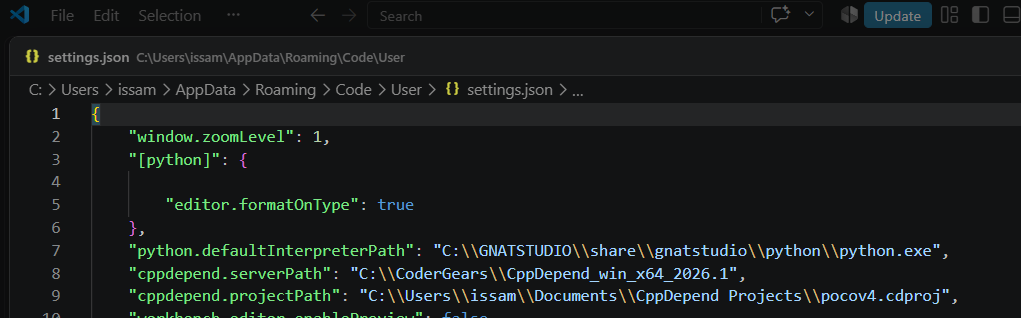
This extension contributes the following settings to your VS Code environment. You can configure them in your settings.json file or through the Settings UI under the cppdepend section.

cppdepend.serverPath
  • Type: string
  • Scope: machine (Configured per machine)
  • Default: ""
  • Description: Absolute path to your CppDepend installation folder.
"cppdepend.serverPath": "/path/to/CppDepend"
cppdepend.projectPath
  • Type: string
  • Scope: resource (Configured per workspace/folder)
  • Description: Absolute path to your target CppDepend project file (.cdproj, .jdproj).
"cppdepend.projectPath": "/path/to/workspace/project.cdproj"

Commands & Usage

The extension registers the following command in the Command Palette:

  1. 1Open your workspace in VS Code.
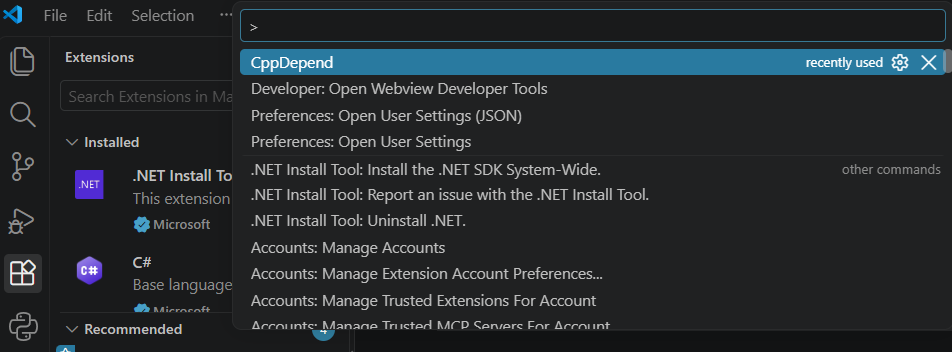
  2. 2Press Ctrl+Shift+P (or Cmd+Shift+P on macOS) to open the Command Palette.
  3. 3Execute the command: CppDepend (cppdepend.gui).
  4. 4The extension will read your configured paths and launch the graphical interface for your active project analysis.

Extension Specifications

  • Version: 1.0.0
  • Publisher: codergears
  • Main Entry Point: ./dist/extension.js
  • Activation Events: Triggers onCommand:cppdepend.gui
  • Minimum VS Code Engine: ^1.102.0
  • Repository: GitHub - codergears/cppdepend-vscode

Download CppDepend

Start your 14-day free trial with full access to all features.

Download Free Trial